
Home · Workbench · AI editing suite with client approval
AI editing suite with client approval
The AI reviews the raw footage, writes the script and edits the piece through to the broadcast version. You let it run on autopilot or step in after each step. Only a person can sign off on the film, and the client approves it in the browser.
A three-minute TV piece often means an hour of raw footage: interviews, B-roll, a press conference.
Before a single sentence of the script is written, someone has to review everything, pick out the usable sound bites, meaning the interview passages that will be heard in the piece, and note who said what and when. Then come the text, the voice recording, the rough cut, lower thirds with the speakers’ names and titles, subtitles, audio levels and the vertical version for social media. The AI editing suite does the legwork in this chain. The editorial team has more time for the story itself.
The editing suite is a program on your own Mac. The raw footage stays there; only transcripts, texts and still images go to the AI. The AI writes the script in your house style, in my case modeled on around 160 finished films and ten years of scripts. For every sentence, it shows the quote from the transcript or documents that the sentence is based on.
You decide how much the AI decides on its own. On autopilot, the piece is produced without stopping, all the way to the finished cut. Or you step in after each step: in research, structure, text, voice-over and in how freely the AI may phrase things. You tell the AI producer what you want in plain language, as you would a colleague in the edit, and it carries out your requests. That way, every film gets your personal touch.
- Import
- Transcribe
- Script
- Voice-over
- Edit
- Approval
The editing suite imports the footage from the shoot and compares each copy with the original so that no file arrives damaged. 62 minutes, 14 files
The AI transcribes all interviews, with timecodes, and suggests the strongest sound bites. sound bite at 12:08
The AI writes a script in your house style and shows, for every sentence, the quote from the footage it is based on. “calm opening”
The editor records the text in the voice booth. The teleprompter shows it block by block. voice booth
The editing suite cuts the piece through to the broadcast version: footage under the text, lower thirds, subtitles, audio at broadcast standard, plus the vertical version. 2:58 + reel 0:45
The client places comments right at the spot in the film and approves. comment at 1:42
- Autopilot or step in after each step
- Script in your house style, every sentence backed by the transcript or documents
- The AI producer carries out your requests
From review to the client’s approval in one application, instead of sending files back and forth between programs.
Comms & media
In use
Screens from the real software
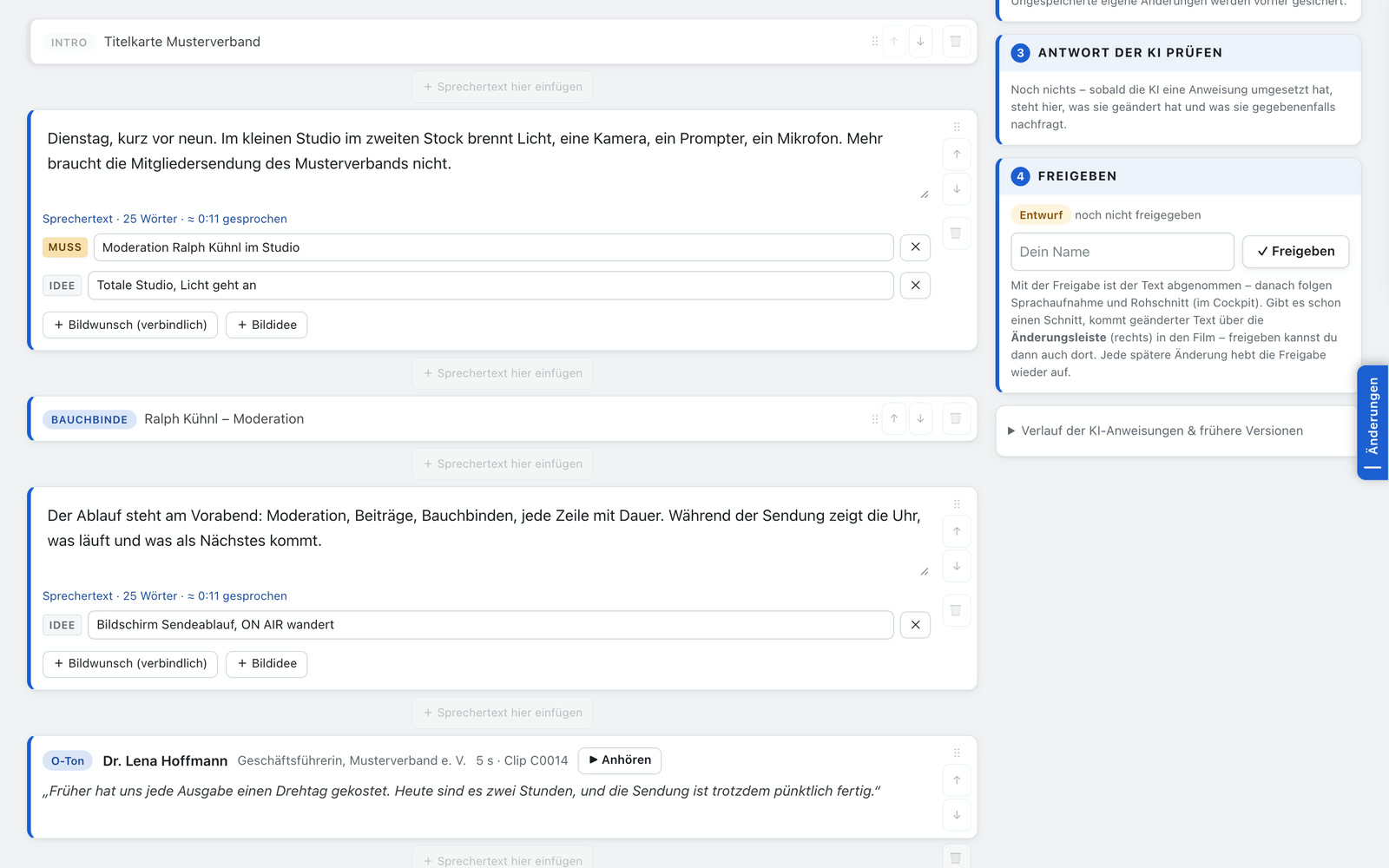
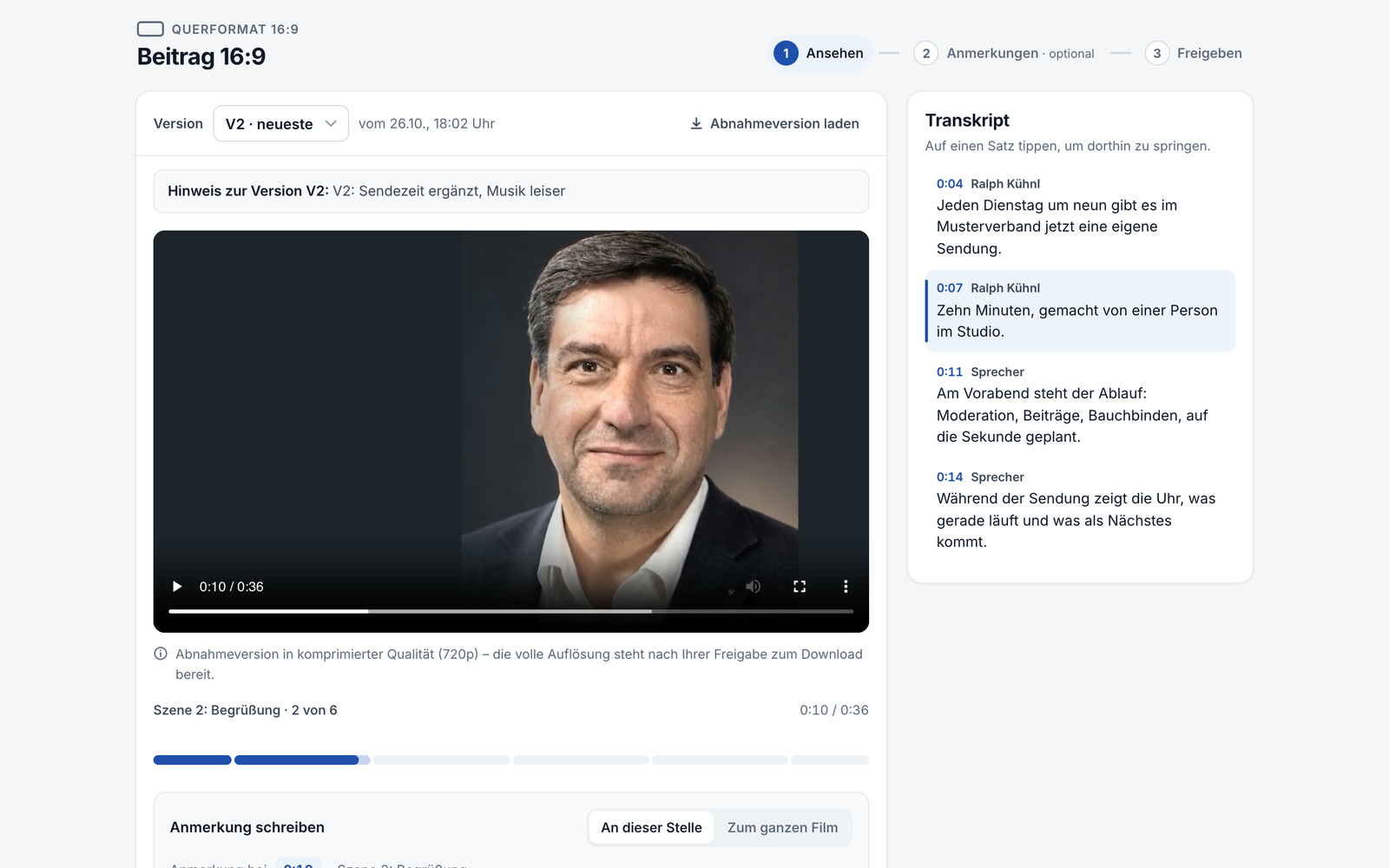
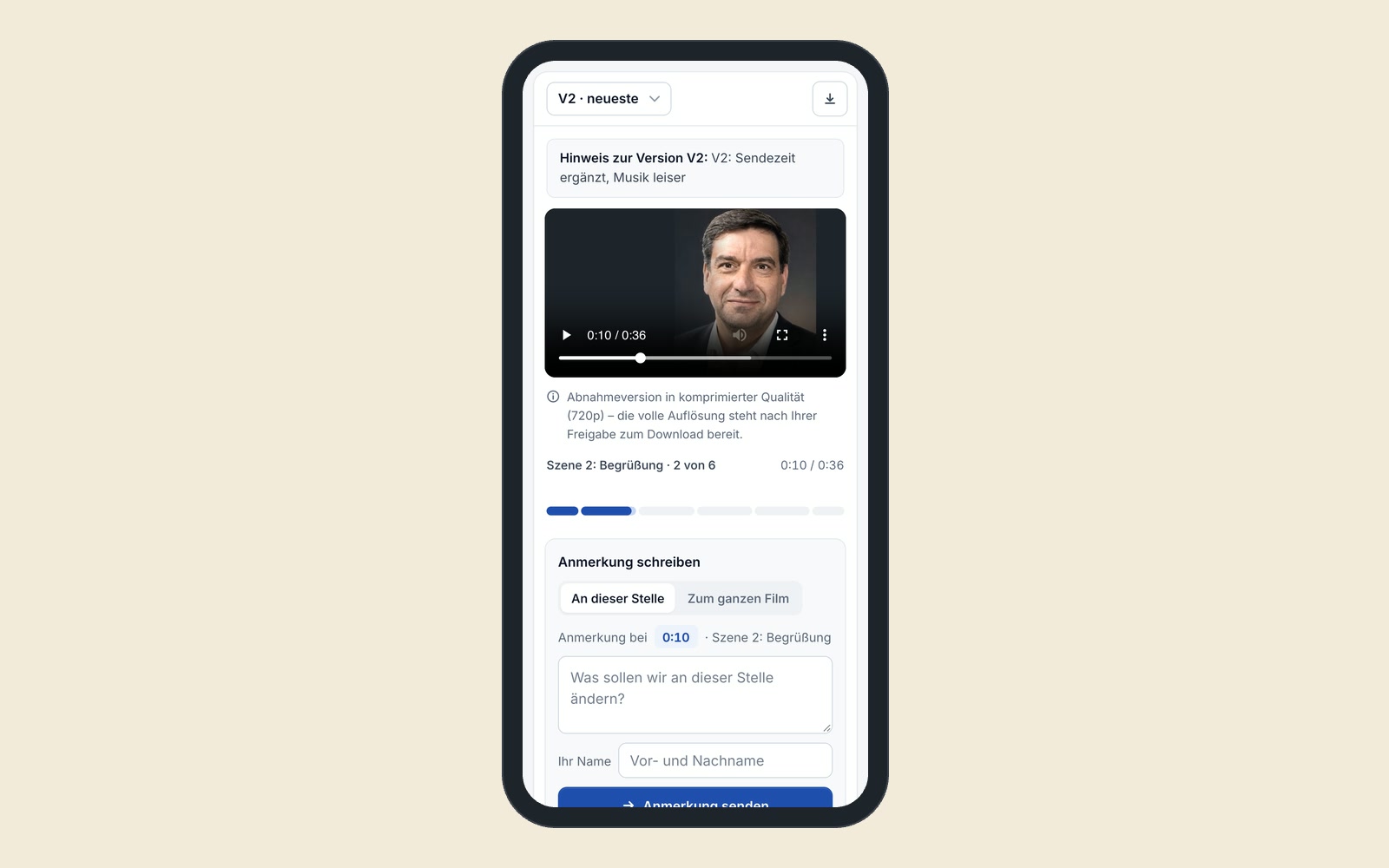
The screens show the German interface. Names and content in them are examples. Click an image to enlarge it.
From the shoot to approval in one day
An example from a production company: the camerawoman comes back from the shoot with the memory card. The editing suite imports the footage and compares each copy with the original, so a damaged file is noticed. While she prepares the next shoot, all interviews are transcribed and searchable. The editor opens the project, reads the suggested sound bites, discards two and gives the AI an instruction for the script: “calm opening, put the funding figure in the second paragraph.” He records the text in the voice booth. Then the editing suite lays footage under the text, inserts the sound bites and brings the audio to broadcast standard, the loudness that broadcasters require. In the afternoon, the finished piece goes to the broadcaster’s editing system, the vertical version to the social media team and a link to the client for approval.
Review, write, edit and approve in one program
Review and transcribe
The editing suite transcribes all footage, with timecodes, and makes it searchable. The AI suggests the strongest sound bites.
Script with sources
Text, sound bites and shot requests for each paragraph. You write instructions to the AI in plain language. A second AI check proofreads the script.
Voice booth with teleprompter
The teleprompter shows the text block by block, and each block is recorded separately. For a quick preliminary version, there is an AI voice, labeled as such.
Broadcast-ready piece, made the way TV is made
Footage under the text, sound bites in their place, lower thirds, subtitles, audio at broadcast standard, and at the end the broadcast version. Fine cutting by hand is possible, but not necessary.
Autopilot or step by step
On autopilot, the editing suite works without stopping, up to the script, the finished cut or the reel. If a detail is missing, it stops and asks instead of guessing. Without autopilot, it waits for you after each step. Only a person can sign off on the film.
AI producer
In the chat next to each project, you talk about the film as you would with a colleague: more pace at the start, a different sound bite at the end, a calmer tone in the text. The producer carries it out.
Its own editor that learns along the way
You do the fine cut in the built-in editor, with the keys editors are used to. What you set by hand, the AI no longer changes. After each edit, the editor briefly asks why and learns from it for the next cuts. Recurring corrections become rule suggestions that only apply after you agree.
Exchange with Final Cut Pro and other common editing programs
For creative fine-tuning, the editing suite hands the cut, with audio tracks, lower thirds, markers and subtitles, to Final Cut Pro or another common editing program and takes it back from there. Subtitles and script then follow the fine cut.
Vertical version included
The same project produces a reel, a vertical video for Instagram and Facebook, in the brand design, with a headline and subtitles.
Client approval in the browser
The client sees the current version under a personal link, places comments right at the spot in the film, approves and then downloads the full resolution. No more emails with timecodes like “at 1:42 please …”.
Info package for every channel
After the shoot, a package is ready: people with the correct spelling of their names, quotable statements, facts with their location in the footage, still images as finished photos. From this, the newsroom writes the blog post and social media copy.
A fit for press offices, agencies and training providers
For press offices of cities and companies that regularly film events and need both a piece and social media clips. For agencies that currently sort out approvals with their clients by email and phone. For training providers who want to turn recorded talks into short learning videos with subtitles.
The editing suite supplies the newsroom and the studio
The editing suite delivers info packages and short videos to the AI newsroom, intros to the teleprompter in the self-op studio, and takes editing jobs from there. An obvious next step would be to put phone videos from Wilma straight into an editing project as footage.
A tool like this, built for your workflow.
Talk about your video production