Home · Workbench · Wilma: assistant and newsroom on your phone
Wilma: assistant and newsroom on your phone
An app for your phone. You ask or dictate, Wilma looks into inboxes, calendar and tasks and prepares emails and appointments. From a voice message, photo or video, the newsroom writes a finished post. Anything that goes to others or gets published waits for your yes.
On the road, something comes to mind: an email that still has to go out, an appointment that is moving, a story from the sidelines of an event.
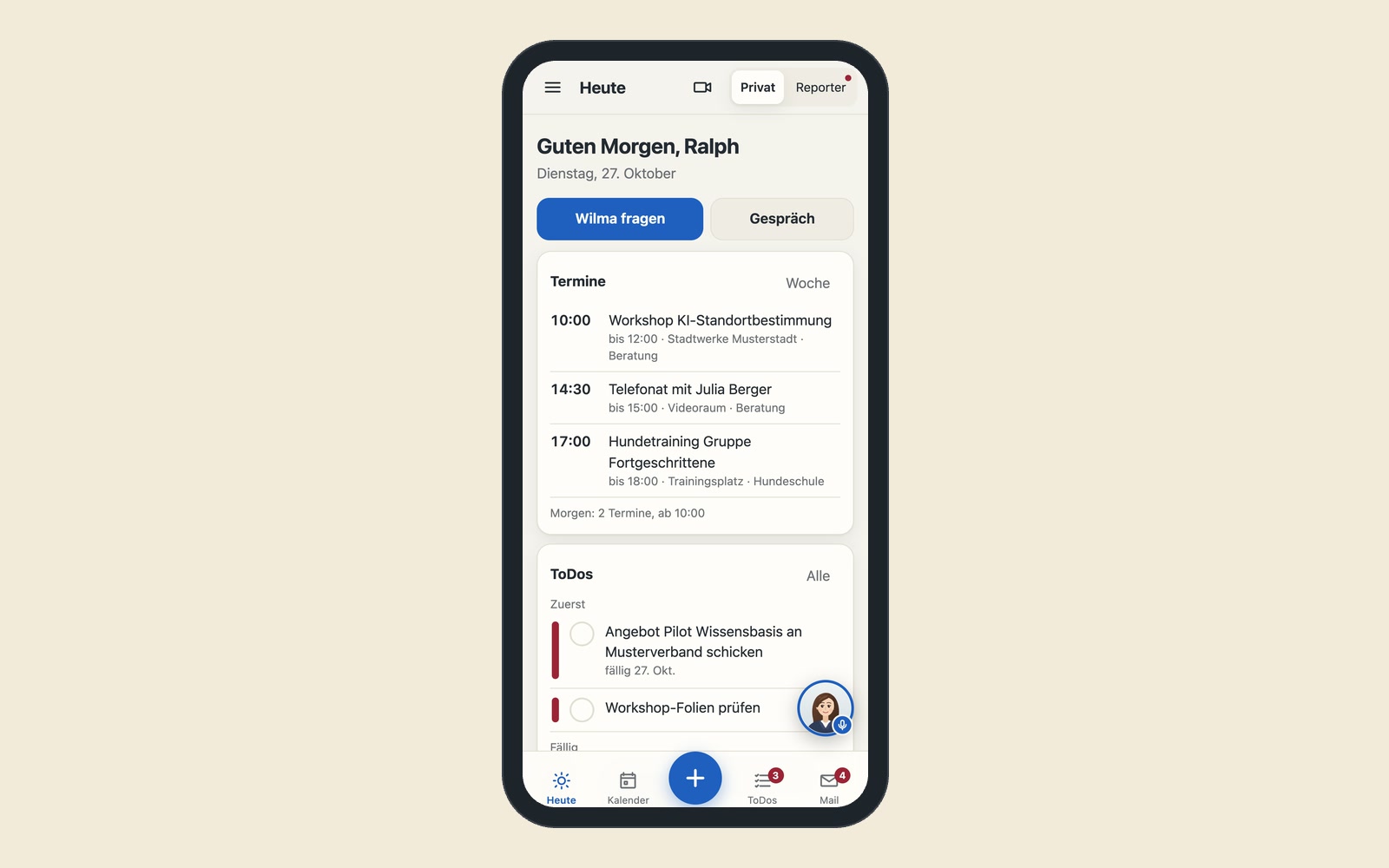
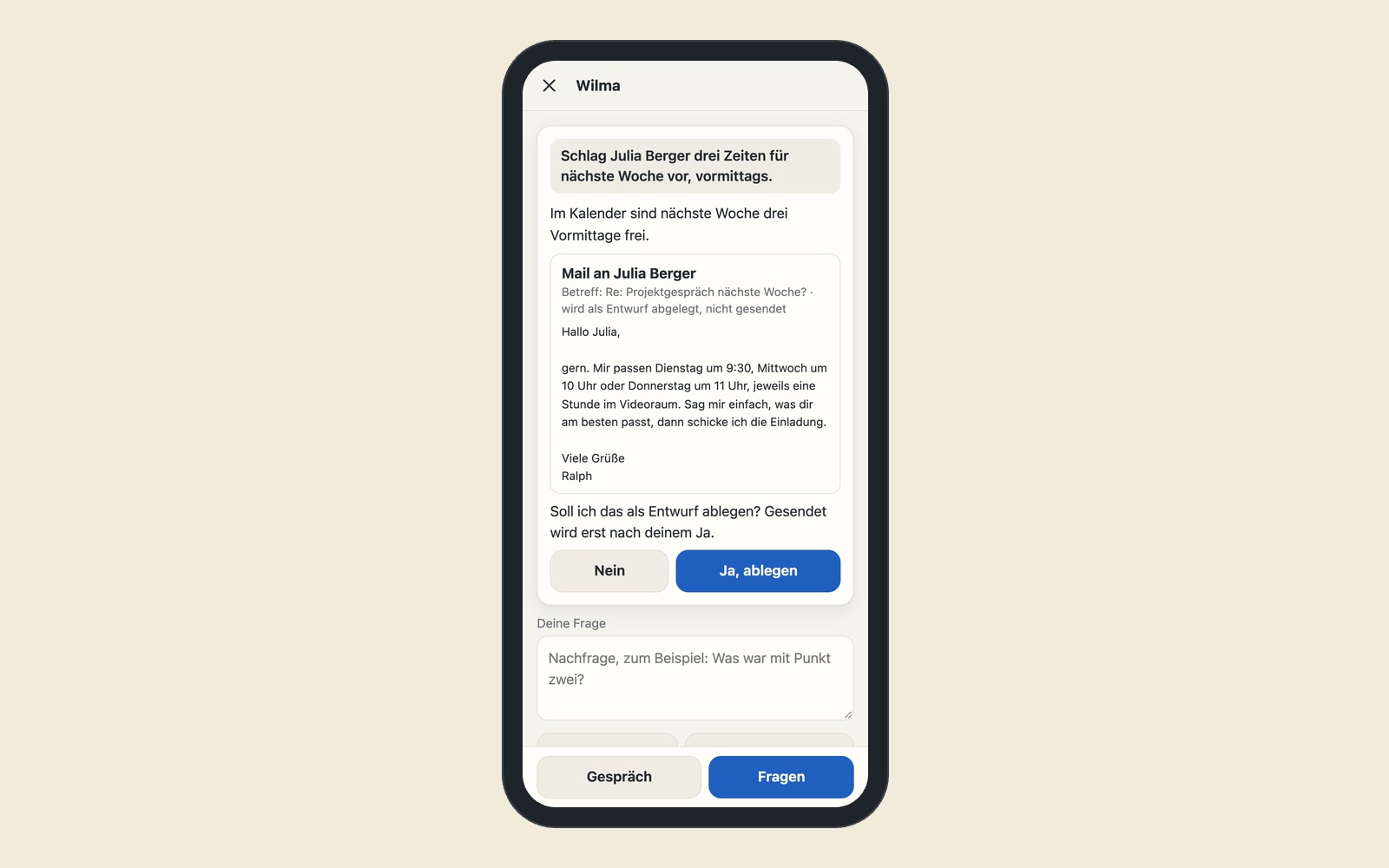
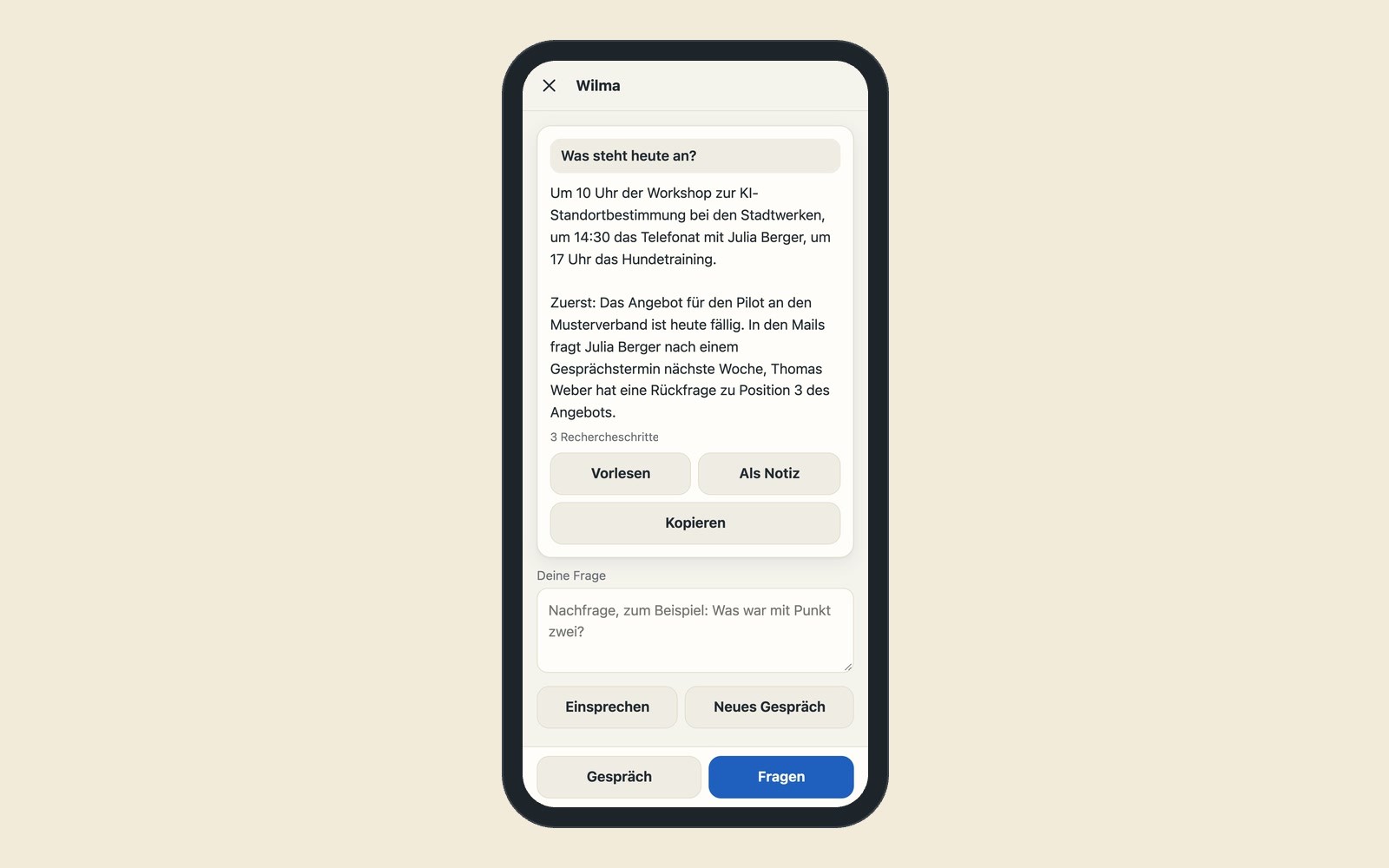
By the time you are back at your computer, half of it is forgotten. Wilma is an app for these moments. You ask or dictate what you need. Wilma looks into your inboxes, your calendar and your tasks, drafts the email or suggests open times. Anything that goes to others, she sends only after you say yes.
Wilma is also the mobile side of the AI newsroom. On the go, you record a voice message, a photo or a video, Wilma passes it on to the newsroom, and the newsroom writes a finished post from it.
You add Wilma to your home screen directly from the browser, without an app store. Without a connection, she saves what you record and sends it as soon as the phone has reception again.
- Record
- Transcribe
- Write
- Preview
- Approve
One button for voice message, text, photo, video or link. Without a connection, Wilma saves the recording and sends it later. voice message 0:42
Wilma transcribes what was said and adds subtitles to videos. subtitles in the picture
The newsroom writes a caption for each channel in your brand’s tone. 2 channels, 2 texts
You see the post as it will appear on the platform. Instagram preview
You approve with one tap. Wilma only sends emails and appointments after your explicit yes. approved
- Takes requests by voice
- Drafts in your own voice
- Acts only after your yes
Works with your own inboxes, calendar and templates and passes requests on to other tools, such as the AI newsroom.
Comms & media
In use
Screens from the real software
The screens show the German interface. Names and content in them are examples. Click an image to enlarge it.
From the trade show booth to a finished post
An example from a skilled-trades company: the owner is at his booth at the regional trade show. Between two conversations, he spends forty seconds telling the camera what surprised him most today. He selects Instagram and LinkedIn as targets and taps Send. While he has his next conversation, Wilma transcribes the video, adds subtitles in the company’s design and has the newsroom write two captions. An hour later, his phone shows him both posts as they will look on each platform. He corrects a name, approves, and the post goes live on the same day of the show.
Ask, record, check and approve on your phone
An assistant for email, appointments and office work
You ask Wilma, typed or spoken, and if you like in a conversation with voice. She reads emails from all inboxes, looks into calendar and tasks, drafts replies in your own voice, creates appointments, writes letters and records working hours and receipts for billing. Anything that goes to others, she sends only after your explicit yes.
One button for everything
Voice message, text, photos, video or a link: Wilma takes it and then asks two things, which channels it should go to and how much the newsroom may change, from gentle smoothing to writing freely.
Video workshop on your phone
Wilma automatically transcribes a selfie video of up to 90 seconds. You adapt the subtitles to the brand design, trim the beginning and choose a cover image. The result is a vertical video in full resolution, with the subtitles burned in.
Check it as it will appear
You see every text as it will appear on the channel, including the point where “see more” cuts it off. What the newsroom changed is marked.
Approval one by one, with a confirmation
Nothing is published without your approval for that one channel.
Plan and published posts
You have the editorial calendar and all published posts with links on your phone, too.
The same pattern for field sales, construction sites and press offices
Record on the go, have it processed in the background, approve on your phone: this also works outside social media. A sales rep records a report after each customer visit, which becomes minutes and a task in the CRM, the customer management system. A site manager sends photos and a voice note from the construction site, which become the site diary. A press office photographer sends pictures with captions from an event straight to the newsroom.
Wilma creates appointments, takes receipts and brings in guests
Wilma passes material on to the AI newsroom. On request, she creates appointments in the booking system, takes receipts for the CRM and brings conversation partners into Treffpunkt. These could be built next: phone videos go straight into the AI editing suite, and entries for a live blog in Tickerwerk are written in the same app.
A tool like this, built for your workflow.
Talk about your mobile newsroom