
Home · Workbench · Booking without the back and forth
Booking without the back and forth
Customers book on your website themselves, groups vote via a link, and the system only moves client appointments on your explicit instruction. All three tools read and write the same calendar.
For an appointment, the emails beforehand often take more time than the meeting itself: When are you free? Does Tuesday work? Oh, I’m not around on Tuesday after all.
Then there are group meetings for which five people fill in a spreadsheet, and weeks in which you have to move appointments without a client appointment getting lost in the shuffle. Three tools do this work, and all three use the same calendar.
You build the booking system into your website. It only shows times that are actually free in your calendar. The group scheduler suggests times from your calendar to a group and sets the date as soon as the result is clear. The calendar manager moves your own appointments on request, and client appointments only when you explicitly tell it to.
- Open time
- Book
- Video room
- Protect
- Bill
The website only shows times that leave room for the travel before and after. Tue 10 a.m., incl. 35 min travel
The customer picks a time and gets a confirmation right away. booked
Every online appointment automatically gets a room of its own. room created
The system never moves client appointments on its own. Internal appointments can be moved to make room. protected
After the appointment, the time tracker asks whether the time was billable. 1.5 h · billable
Works without AI.
Bookings and polls are in the same calendar. Every appointment immediately gets a video room and then appears as a suggestion in time tracking.
Office & admin
In use
Screens from the real software
The screens show the German interface. Names and content in them are examples. Click an image to enlarge it.
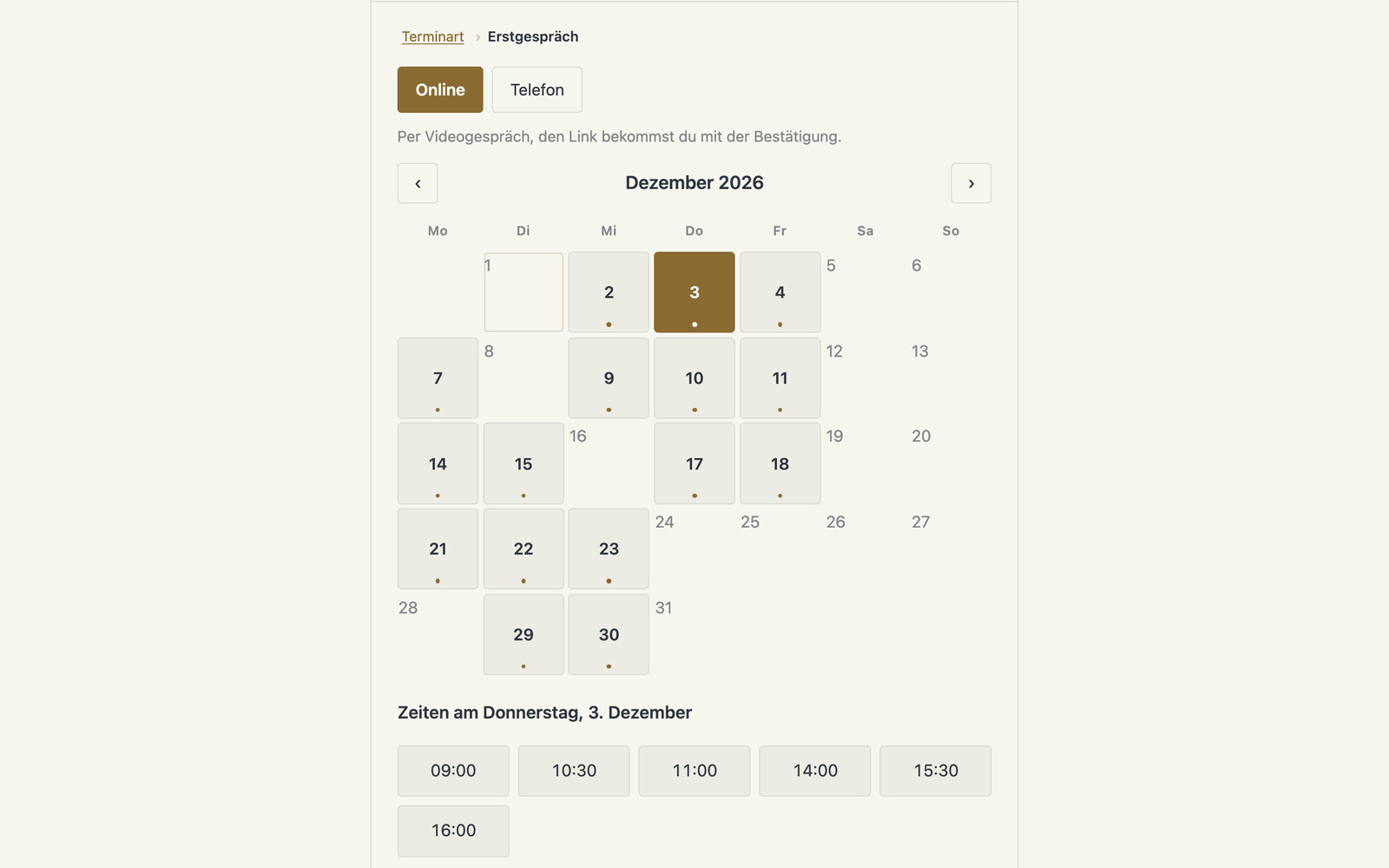
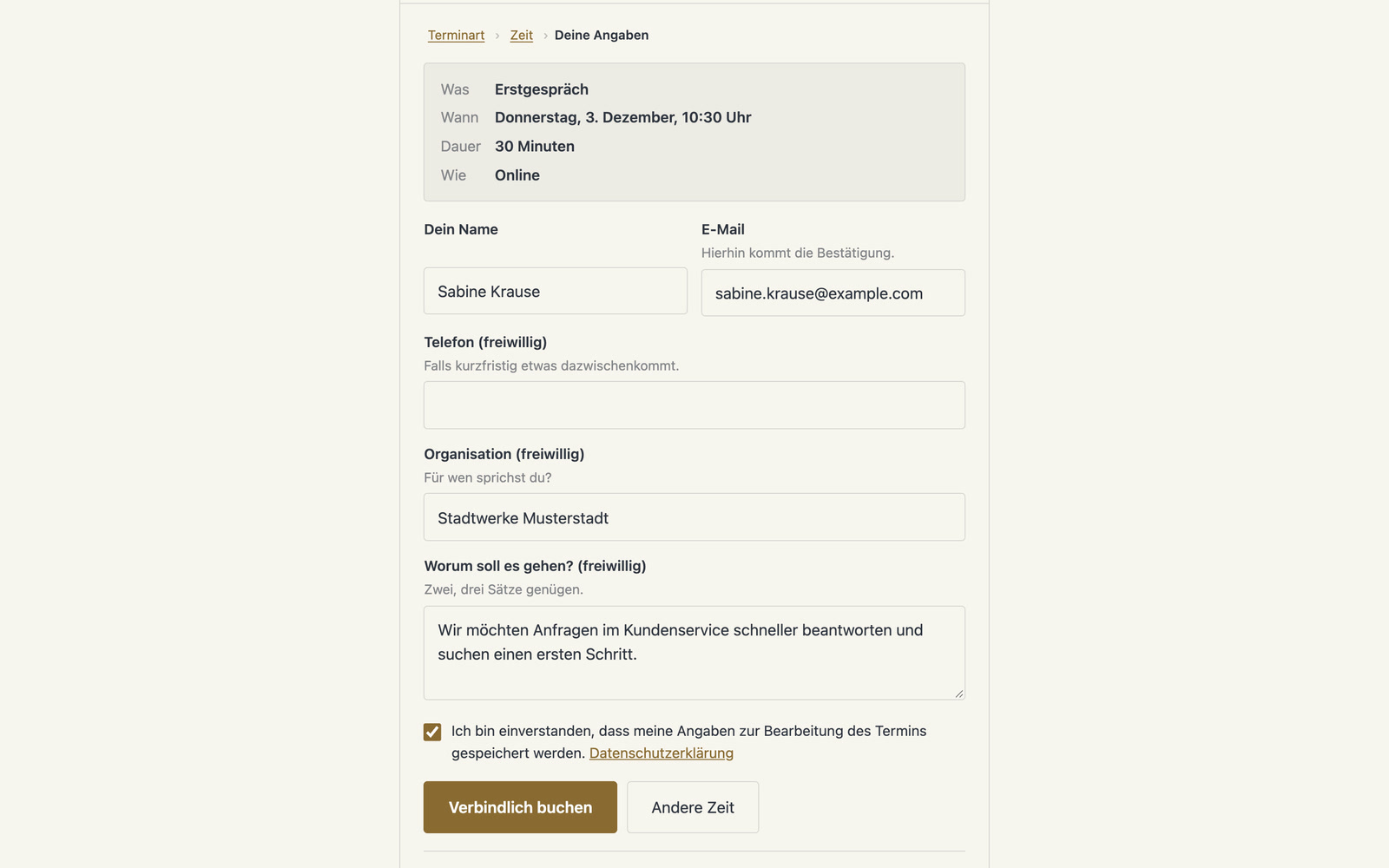
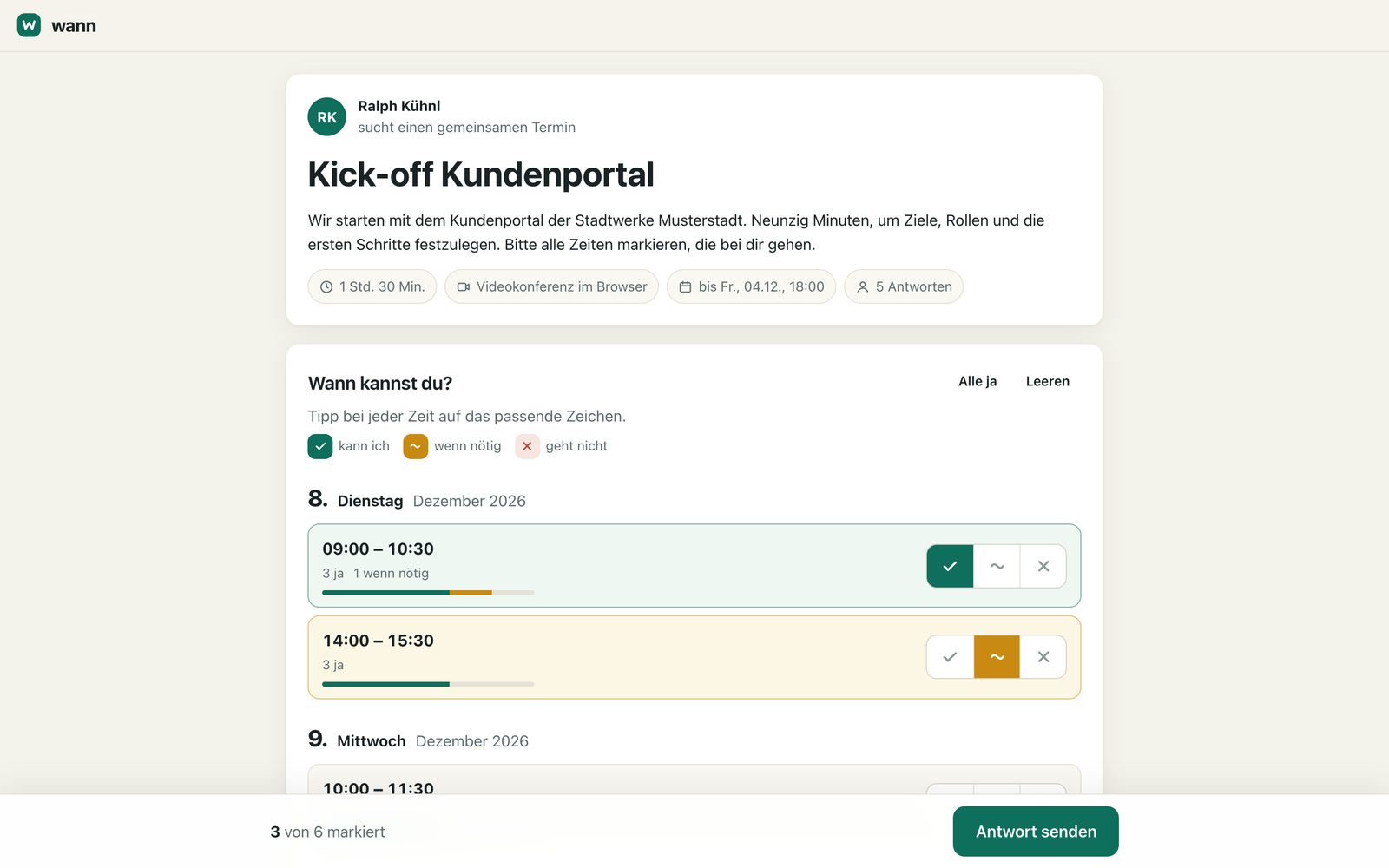
Four people find a workshop date in three days
An example: a consultant is looking for a workshop date with four people from a client. When she creates the poll, she sees her week and clicks six open times. The system immediately holds all six in her calendar. The four reply via a link, without an account. Anyone who hasn’t replied after two days gets a reminder. On the third day, the result is clear: the system enters the date, creates a video room and sends everyone an email with a calendar file. It deletes the other five holds from the calendar. The reminder goes out the day before.
Book, schedule and reschedule with one calendar
Booking by your rules
For each website, you define the appointment types, from the initial meeting to the workshop. For on-site appointments, travel time is planned in, and reminders go out 24 hours and one hour before. The booking widget takes on the website’s colors and font.
Self-service rescheduling and cancellation
Customers move or cancel their appointment themselves, without having to email you.
Polls only over open times
As a group poll in which everyone votes on several times, as a one-on-one appointment in which one person picks a time, or as a sign-up list with fixed slots. Only times that are free in your calendar are offered.
Confirmed automatically or after checking with you
When the result is clear, the system sets the date or asks you first. You mark people who must attend as required.
Client appointments are protected
The system moves your own and internal appointments, but never moves client appointments on its own. Anyone who wants to move a protected appointment gets a note with the reason.
Rescheduling via messenger
You type or say “Move the coaching session to 8:30-10 a.m.” The system moves the entry and adds the travel there and back.
One video room per appointment
For every video call appointment, the system automatically creates a room of its own.
For medical practices, contractors, committees and schools
Medical practices, law firms and consultancies let their customers book themselves. Trade businesses plan on-site appointments with travel time in between. Club boards and committees schedule their meetings without a round of emails. Schools and education providers assign slots for parent-teacher meetings or courses via sign-up lists.
Every booking becomes an inquiry in the CRM
For every video call appointment, the system creates a room in Treffpunkt, the video meeting platform of your own. Every booking appears in the CRM as an inquiry and, after the appointment, as a suggestion for time tracking. Wilma, the assistant app on the phone, books on request by the same rules as the booking widget. Paid appointments, where the customer pays right when booking, are possible, as is a room in Werkraum, the workshop environment, which the system creates as soon as a workshop is confirmed.
A tool like this, built for your workflow.
Talk about your scheduling