
Video meetings are part of everyday work, and yet the same tasks come up around every meeting: create a room, send the link, take notes, type up the minutes afterwards and assign the tasks.
Treffpunkt, German for “meeting point,” is a video meeting platform of your own that takes over these tasks. It is installed on your own server and has your web address and your brand’s design.
I use the same installation under three addresses, one for each brand. Guests need neither an account nor an app; a link in the browser is enough, on a computer or a phone.
- Invite
- Join
- Captions
- Missed it?
- Minutes
Every booked appointment automatically gets a room. The invitation comes with a calendar file. room with calendar file
A link is enough, with no account and no app. If you like, the room is end-to-end encrypted. waiting room: 3 guests
The AI translates live: everyone reads the captions in their own language, read aloud if they like. PL → DE
Anyone who joins late asks “What did I miss?” and gets a summary. since 10:12 a.m.
After the meeting, the AI writes the minutes: decisions, tasks with owners and deadlines, open questions. One click sends them to everyone invited. 5 tasks, 2 open questions
- Live captions in any language
- Minutes with tasks
- A summary for anyone who joins late
Runs under your own web address and brand. Every booked appointment gets a room automatically, and the AI writes the minutes.
Collaboration
In use
Screens from the real software
The screens show the German interface. Names and content in them are examples. Click an image to enlarge it.
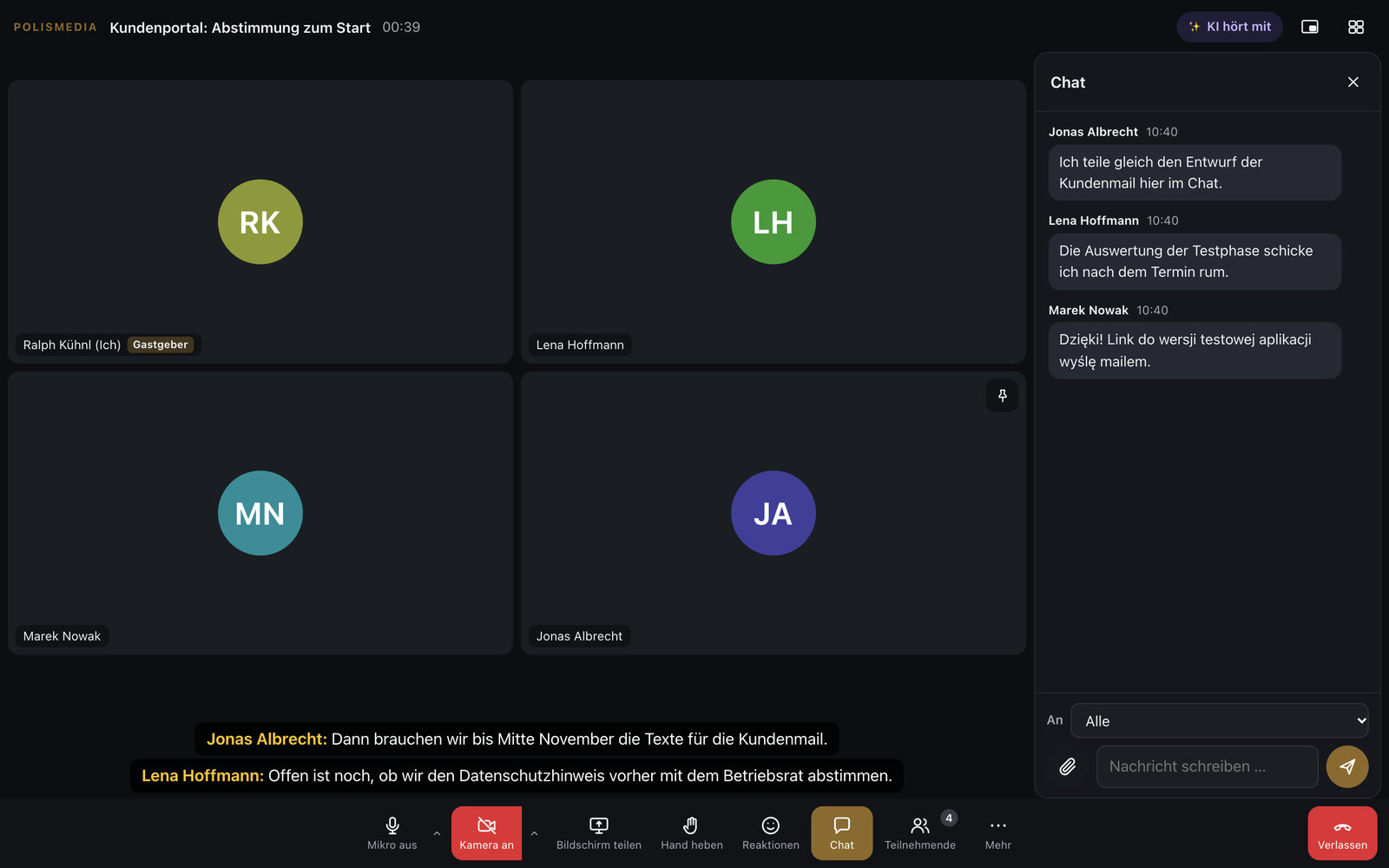
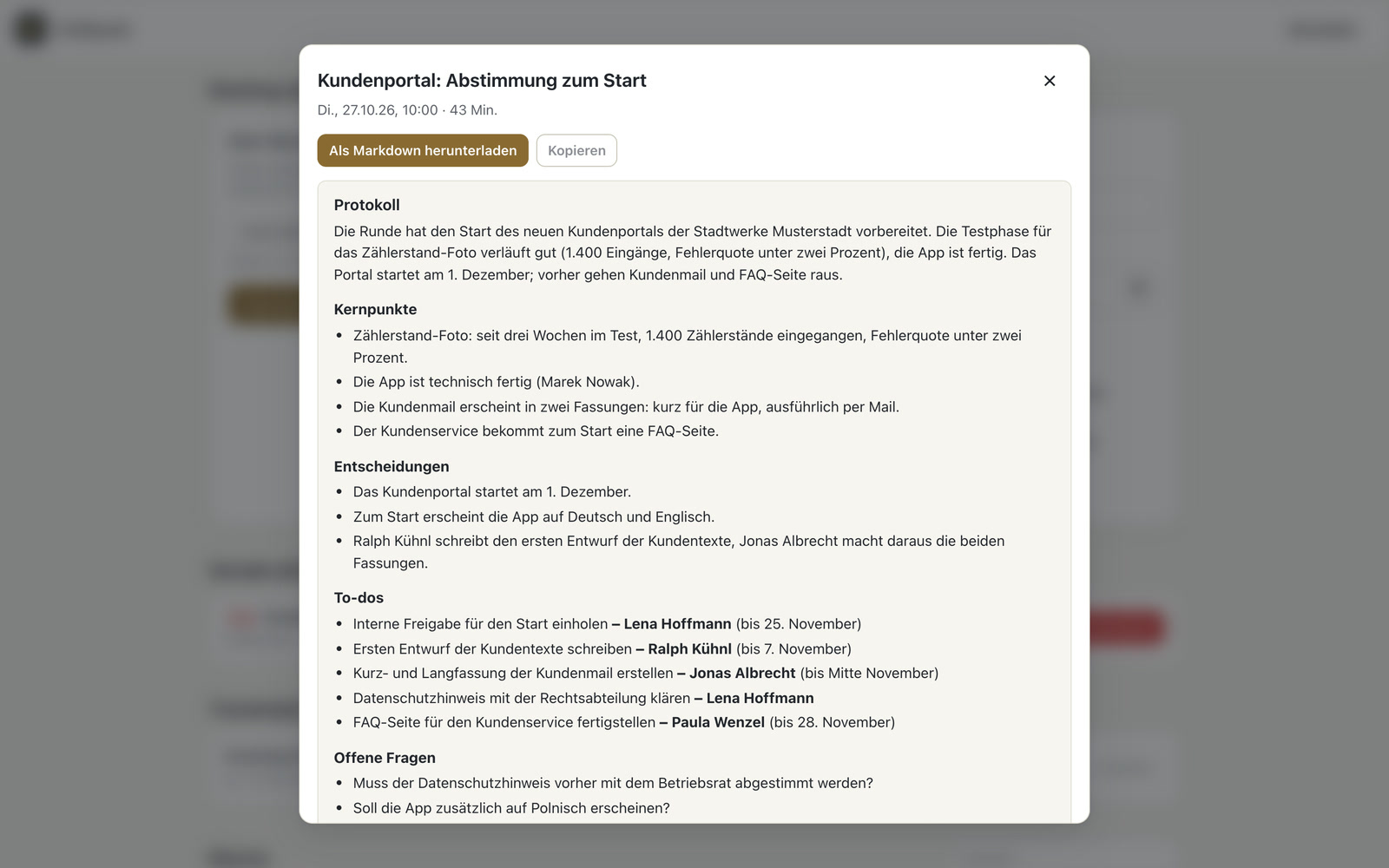
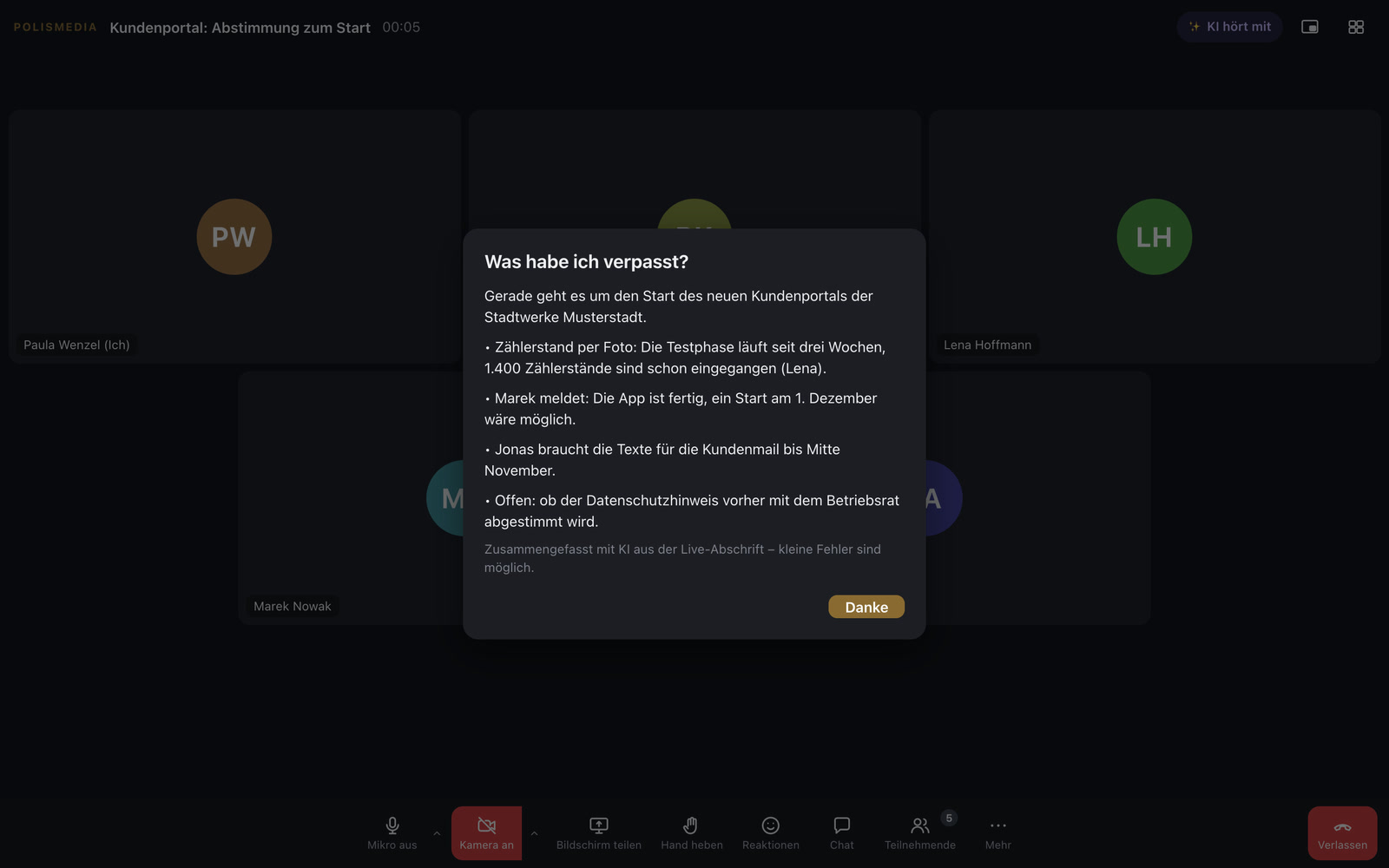
Shortly after the meeting, the minutes are ready
An example for a consultancy: a client books an initial meeting on the website. The video room is created automatically, and the link is in her confirmation. A colleague from Poland joins the meeting. He sees the interface in Polish and follows what the others say in live captions in Polish. After 45 minutes, the meeting ends. Shortly afterwards, the minutes are ready, with a summary, decisions, tasks with owners and deadlines, and the open questions, and one click sends them to everyone invited.
Join via link, minutes and translation included
Join via link
With a waiting room, co-hosts, breakout rooms, whiteboard, chat, files and raised hands.
End-to-end encrypted
If you like, a room is encrypted so that only the participants can decrypt video and audio. The key for each room is contained in the link and never reaches the server. If the meeting is recorded, everyone sees it.
Minutes and transcript
After the meeting, the AI automatically writes a transcript with names and minutes with decisions, tasks and open questions.
Live translation
Captions in each participant’s language, read aloud if you like. The interface is available in German, English, Polish and Czech.
Help for latecomers
Anyone who joins late asks “What did I miss?” and gets a summary.
A digital office with a door
A permanent room with a door sign: open, knock or closed. During appointments, the sign automatically switches to closed, and visitors leave a message.
Reception on your website
An AI assistant answers visitors’ questions about the website’s content and suggests open appointment times. Nothing is booked until the visitors click themselves.
Invitations with a calendar file
The invitation comes by email, and the appointment can be added to any calendar with one click.
Webinars with tickets
A sales page with payment, stage and audience kept separate, expandable for large groups of up to 1,000 people.
Confidential meetings and multilingual groups on your own server
For consultancies, law firms and medical practices that don’t want to hold confidential conversations on third-party servers. For organizations with partners in neighboring countries who communicate with live captions in their own language. For training providers who sell webinars and want to welcome participants without an account. For public administrations and associations whose meetings need minutes that nobody likes to write.
Every booked appointment gets its own room
Appointments from the booking system automatically get a room, and Wilma brings in conversation partners and changes the door sign. Obvious next steps would be to take minutes and tasks straight into the CRM, as proof of work attached to the invoice, and to store transcripts in your own cloud.
A tool like this, built for your workflow.
Talk about your meetings