
All tools on this Workbench are installed on a server of my own at a German provider, not spread across a dozen subscriptions. For organizations, this has three consequences.
The data is where you decide. A new tool doesn’t need another server. And because all tools use the same server, data from one goes straight into another: a booking from the booking system immediately appears as an inquiry in the CRM.
You keep track via a start page for all services and a cockpit for the automations, meaning the workflows that run in the background without you. It shows whether each of them is working without errors.
- Log in
- Storage
- Monitor
- Back up
One login for all internal services, with a passkey instead of a password: a fingerprint or your face is enough. 1 passkey
Files, office apps in the browser and chat, separated by brand. 3 brands
A cockpit shows whether each service is reachable and warns you before storage fills up. all services green
Every night, a backup goes to external storage. backed up 3 a.m.
Works without AI.
A server of your own at a German provider instead of a dozen subscriptions. New tools can use the other tools’ data right away.
Infrastructure
In use
Screens from the real software
The screens show the German interface. Names and content in them are examples. Click an image to enlarge it.
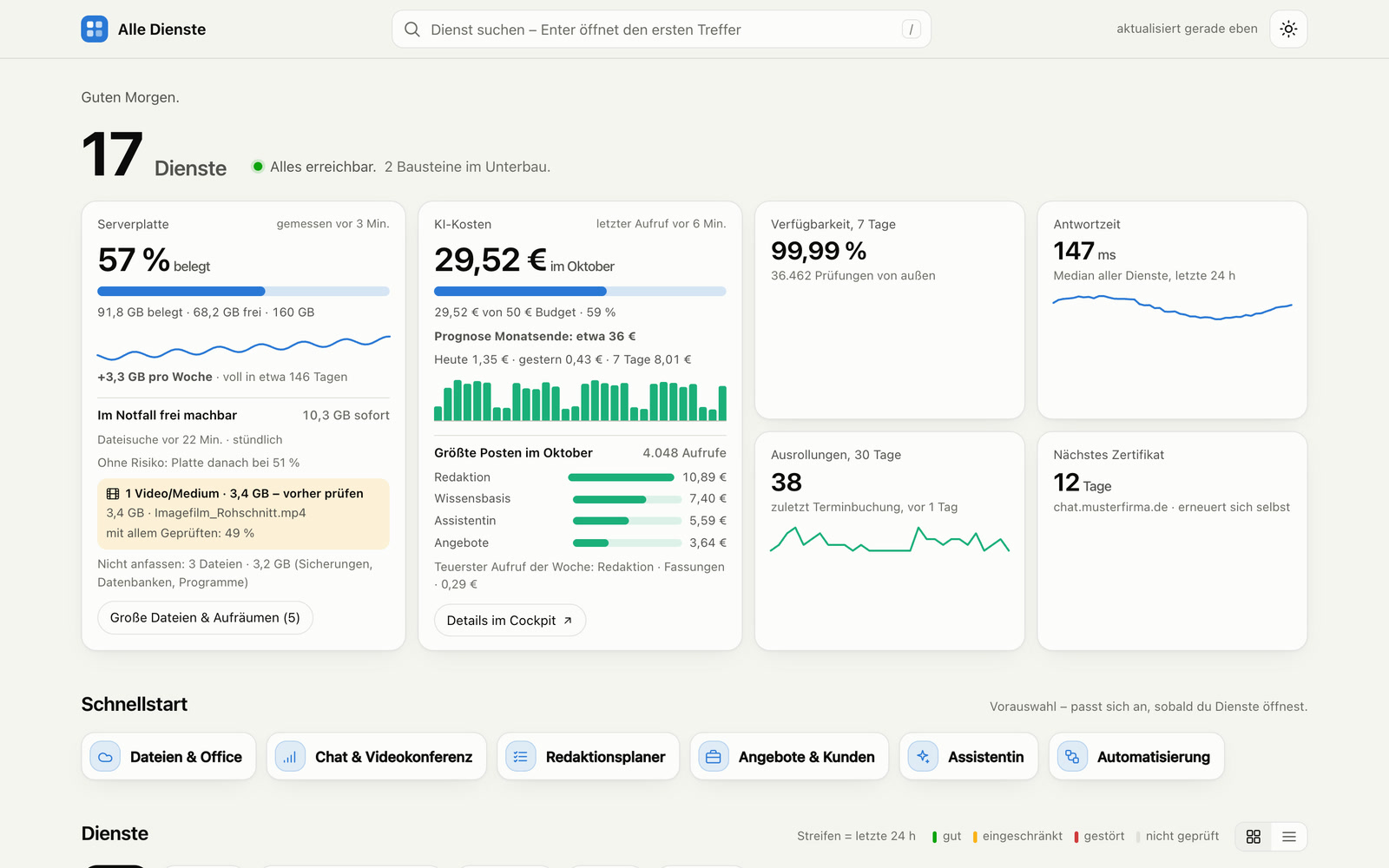
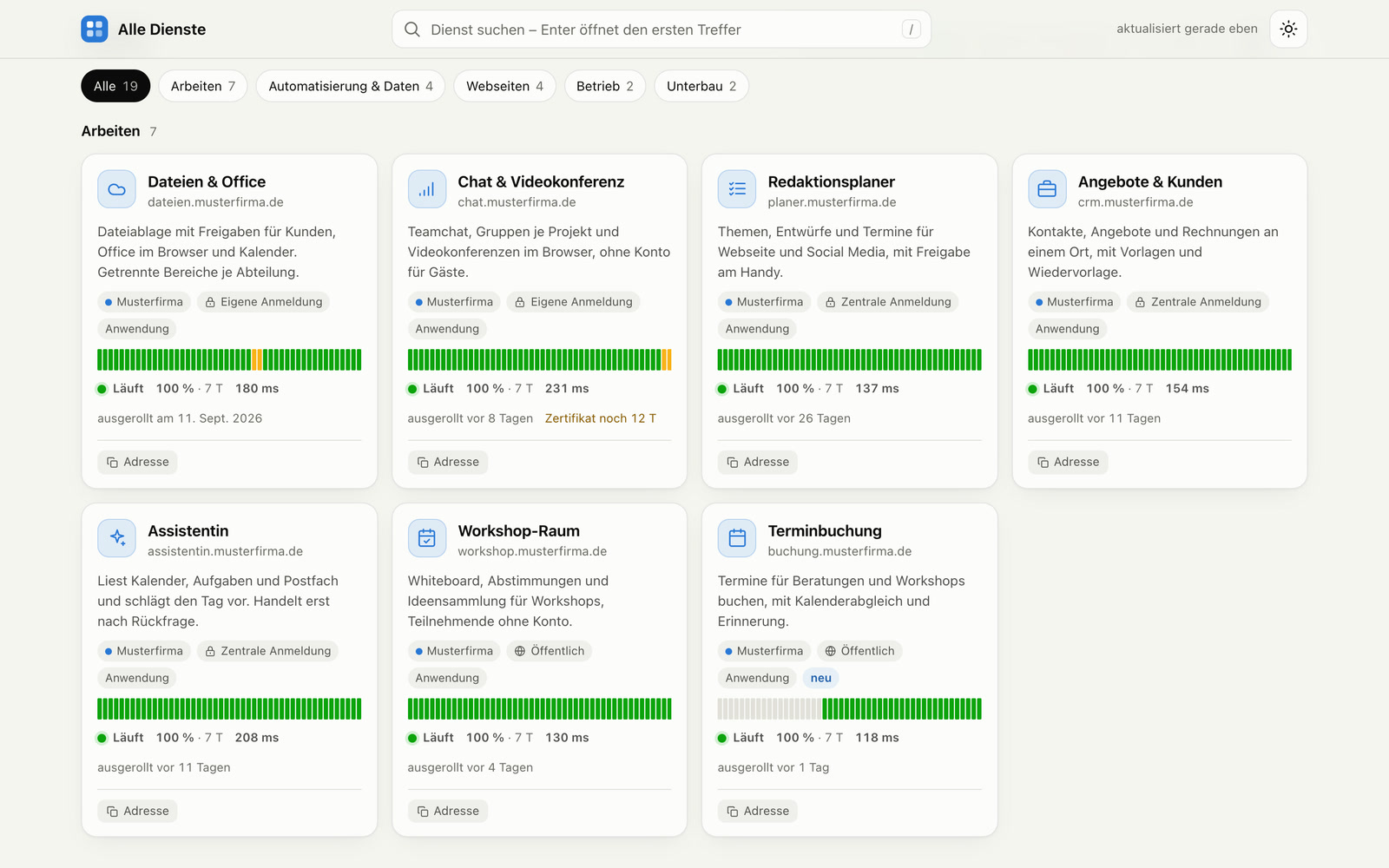
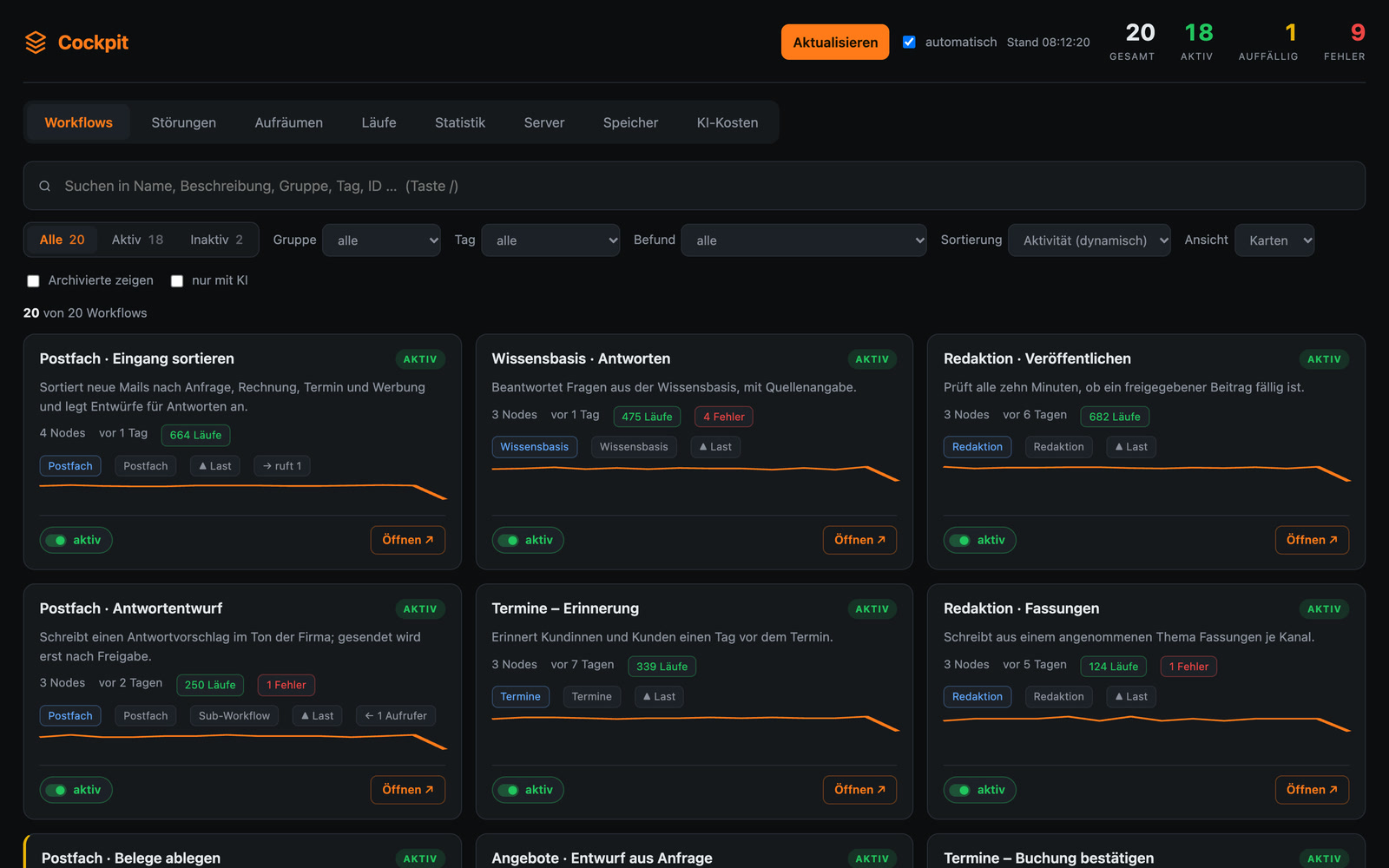
One login in the morning, one look at all services
An example for a small agency with its own infrastructure: the managing director logs in once in the morning, with face recognition on her phone, and is then logged in to all internal services for 60 days. At the top of the start page, it says “All reachable.” Below are the key figures: availability over the last seven days, response time, the next renewal of a certificate for the encrypted connection and the month’s AI costs compared to the budget. A tile shows that storage would be full in about 40 days and lists what could be cleaned up safely. A new tool that was finished yesterday appears in the list automatically.
Files, login, monitoring and backups on one server
Files, office and chat
A file storage of your own with links for sharing, office apps in the browser and chat with video meetings, separated by brand or client.
One login for everything
With a passkey, signing in with your fingerprint or face on your own device, or with a password, once for all internal services. Where you allow it, guests, customers and participants get in without an account.
Start page for all services
Each service with its status, response time and history. New services appear automatically.
Cockpit for the automations
The cockpit shows which workflows are active, which ones have errors and which access has expired. One button restarts a faulty workflow directly. Plus the costs per project and a calculation of how much time the automation saves.
Storage with advance warning
The start page shows how full the storage is, how fast it is growing and when it would be full. Large files are in a list with three levels: safe to delete, check first, don’t touch. You have to delete yourself; the page never deletes anything.
Backup every night
Every night, databases and files are also copied to external storage.
New tools in minutes
A finished application goes onto the server with one command and is then reachable under its own address.
Your own infrastructure for law firms, associations and small businesses
Law firms, practices and consultancies whose data should not be on third-party servers. Associations and clubs that want to replace their individual subscriptions with a shared foundation. Small businesses that use several custom-built tools and want to run them in one place. If you like, I set up the cloud for you and look after it, or your tools get a separate area on my server.
All Workbench tools run here
All other tools on the Workbench are on this server, from the AI newsroom to Treffpunkt. Transcripts and minutes from video meetings and workshops landing in the file storage automatically would be conceivable, as would alerts from the cockpit going straight to the phone.
A tool like this, built for your workflow.
Talk about your infrastructure