
Home · Workbench
24 tools, 20 of them in use
Built for my own brands, a volunteer role and clients, each for one specific workflow. Each one is an example of what can be built for your business.
I’ve been building the tools on this page since August 2026, and I use them every day: for my brands polisMEDIA, PAWCADEMY and ralphkuehnl.de, for a volunteer role and for clients.
A newsroom that suggests topics and writes a separate text for each channel. A TV studio run by a single person. A dog school whose customers get an expert answer in the evening and on weekends, too. A video meeting platform that writes the minutes after the meeting. None of these tools comes from a software vendor’s catalog. I built each one for a specific workflow, step by step, the way the people there work. I can build the same for your business, your association or your newsroom.
- Conversation
- Map it out
- Build
- Test
- Extend
You tell me how you work today: which tasks repeat every week and what bothers you. initial meeting, 30 minutes
I map out the workflow: who delivers what to whom, where a decision is made, where people only copy things over. workflow sketch
I first build the features that save you the most work. first version after days
We test the tool in your daily work and improve it until it fits. pilot in the team
When your work changes, new features are added. can be extended any time
Two techniques make this pace possible. The first is called vibe coding, programming through conversation: I describe in everyday language what a program should do, an AI writes the code, and I check and correct it. What used to take a development team months takes me days or a few weeks. The second is automation: small programs in the background take data from one tool and enter it into the next, including programs you already use, such as your inbox, your calendar, your website or a messenger.
For you, this means: the tool follows your workflow, and you don’t have to adapt your work to someone else’s program. You own the code, and when your needs change, the tool can be extended.
All tools at a glance
The front of each card shows what the tool can do and how it differs from off-the-shelf software. “See features” turns the card over, and “To the Workbench page” leads to the full description.
24 examples, 20 of them in use
- Comms & mediaIn use
AI newsroom
Suggests topics and writes a separate post for each channel.
- Topic suggestions from current news
- A separate text for each platform
- Uses your corrections as a model
Unlike off-the-shelf softwareEach platform gets its own text following your house style rules, and nothing is published without approval.
AI newsroom
Features- Calendar across all brands and channels
- Carousels, meaning posts to swipe through, in the brand design
- Record a post as a voice message, approve on your phone
- Analytics for reach and comments
- Comms & mediaIn use
Wilma
Personal assistant on your phone: you dictate a request, and she prepares it.
- Takes requests by voice
- Drafts in your own voice
- Acts only after your yes
Unlike off-the-shelf softwareWorks with your own inboxes, calendar and templates and passes requests on to other tools, such as the AI newsroom.
Wilma
Features- Emails from all inboxes, appointments and tasks
- Social media posts from a voice message, photo or video
- Letters and quotes from templates by dictation
- Opens programs on the Mac on request and finds files there
- Comms & mediaIn use
AI editing suite
Turns raw footage into the broadcast-ready piece, which the client approves in the browser.
- Autopilot or step in after each step
- Script in your house style, every sentence backed by the transcript or documents
- The AI producer carries out your requests
Unlike off-the-shelf softwareFrom review to the client’s approval in one application, instead of sending files back and forth between programs.
AI editing suite
Features- Broadcast-ready cut with lower thirds and subtitles
- Its own editor that learns from your changes
- Exchange with Final Cut Pro and other common editing programs
- Client approval in the browser, comments at the spot in the film
- Comms & mediaIn use
Self-op studio
A TV studio in which one person hosts the show alone. Switching is done by voice.
- Switches to the next clip by voice
- The teleprompter scrolls at the pace of the voice
- The show assistant suggests cuts to fit the airtime
Unlike off-the-shelf softwareSpeech recognition does the switching, so nobody has to press a key. Anyone who wants to can still use a key or foot pedal. That way, a small organization can broadcast its own TV without a studio crew.
Self-op studio
Features- Name captions at their place in the text
- Guests via link, the picture switches to whoever is speaking
- Live on your own website
- Rundown with show clock for the whole team
- Comms & mediaIn use
Tickerwerk
A live blog on your own website: the team reports from their phones, entry by entry.
- Transcription of voice recordings
Unlike off-the-shelf softwareThe reports appear on your own website and in your own design, where search engines find them.
Tickerwerk
Features- New entries appear without reloading
- “Key points” box and breaking news
- Write via app or messenger, even with a weak connection
- Team via invitation link, without access to the website’s admin area
- Comms & mediaIn use
Press work for associations
Turns submitted reports and photos into finished articles for the association’s website.
- Groups emails on the same topic
- Checks the details with a web search
- Drafts all texts down to the captions, at the required lengths
Unlike off-the-shelf softwareFills in the input form of the existing content management system, instead of a volunteer copying everything by hand.
Press work for associations
Features- Input by email, form or messenger
- List of open questions
- Approval on the phone
- One click fills in the input form, images included
- CollaborationIn use
Treffpunkt
A video meeting platform of your own that translates live and writes the minutes.
- Live captions in any language
- Minutes with tasks
- A summary for anyone who joins late
Unlike off-the-shelf softwareRuns under your own web address and brand. Every booked appointment gets a room automatically, and the AI writes the minutes.
Treffpunkt
Features- Join via link, without an account or app
- End-to-end encrypted, the key is contained only in the link
- Waiting room, breakout rooms, whiteboard and chat
- Webinars with tickets and payment
- CollaborationIn use
Werkraum
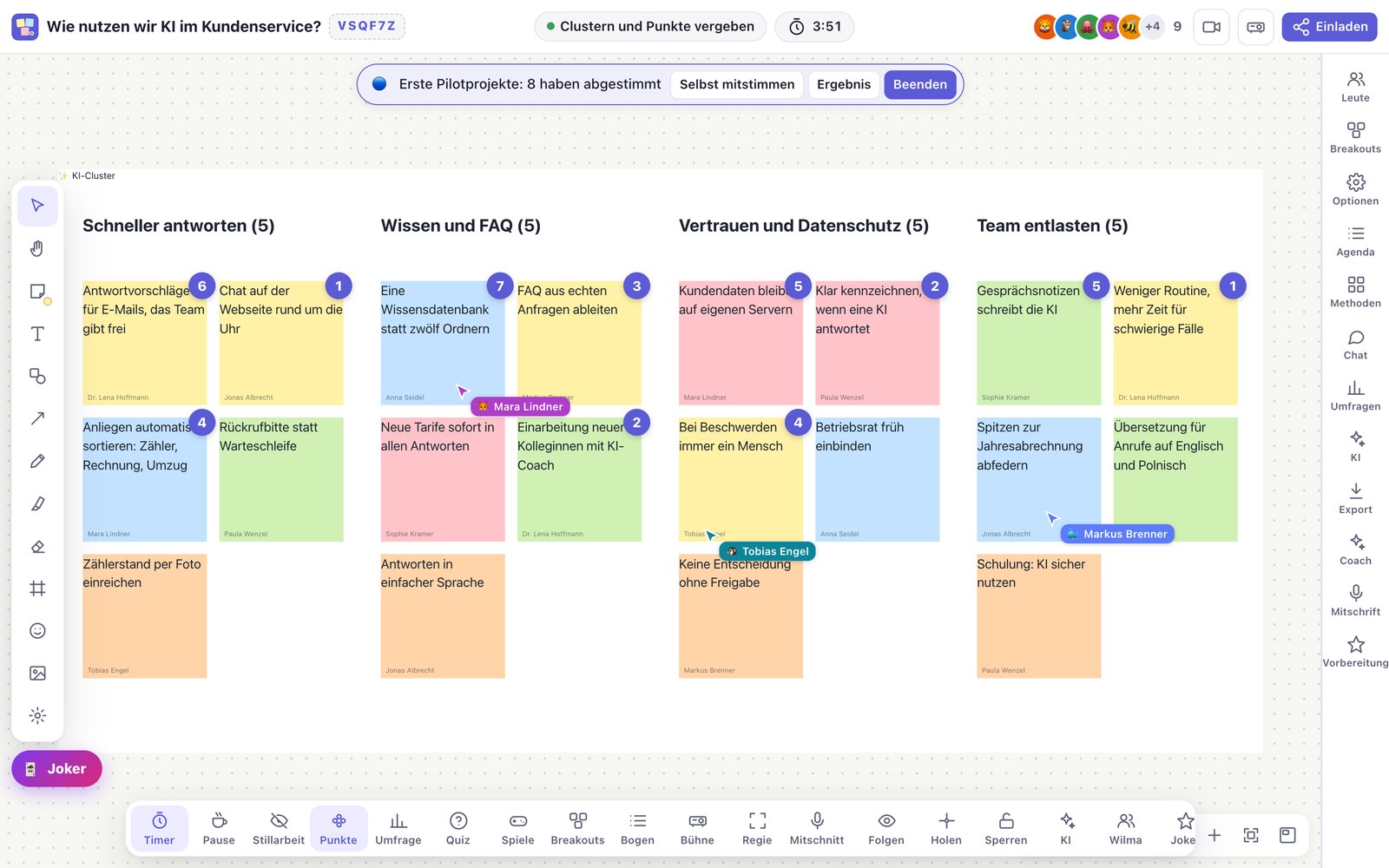
A digital workshop room with canvas, live polls and an AI co-facilitator.
- Sorts ideas into groups
- Drafts the agenda and slides from goal, length and participants
- Turns flip chart photos into digital notes
Unlike off-the-shelf softwareBrings together in one room what otherwise takes four or five programs, each with its own login.
Werkraum
Features- Infinite canvas for everyone at once
- Polls, word cloud and quiz from the phone via QR code
- Guided note-taking for on-site workshops, as a PDF
- Export as PDF, spreadsheet and minutes
- Office & adminIn use
Booking
Customers book their own appointments, and groups vote via a link.
Works without AI
Unlike off-the-shelf softwareBookings and polls are in the same calendar. Every appointment immediately gets a video room and then appears as a suggestion in time tracking.
Booking
Features- Booking on the website shows only open times and includes travel time
- Group poll: when the result is clear, the date is set
- Client appointments are fixed, internal ones can be moved
- Every online appointment gets a video room
- Office & adminIn use
Inbox assistant
Sorts all inboxes and drafts replies in your own voice.
- Sorts every email
- Draft replies that take the whole email thread into account
- A separate tone for each role
Unlike off-the-shelf softwareSuggests times from your real calendar and writes in the tone of each role, for example as managing director or as club board member. Nothing is sent before approval.
Inbox assistant
Features- Suggested times only from open slots
- Draft on your phone: send, change or discard
- Invoices filed automatically
- Tasks only when something really needs doing
- Office & adminIn use
PDF app
Fill in and sign PDF forms on your phone, without a login.
Works without AI
Unlike off-the-shelf softwareNo subscription and no login; the document stays on the device.
PDF app
Features- Fill in fields and sign with your finger
- Correct existing text right in the PDF
- Scanning with straightening and text recognition
- Arrange pages and reduce file size
- Knowledge & dataIn use
Voice notes
Say a few sentences, and about eight seconds later a structured note is in the archive.
- Structures what was said
- Files the note in the right area
- Creates new tasks
Unlike off-the-shelf softwareThe note goes into the archive you already use.
Voice notes
Features- Speak into your watch or via messenger
- The original recording is attached to the note
- All tasks in one list, including those from emails and conversations
- If structuring fails, the transcript still arrives
- Sales & customersIn use
Quote to invoice
From the first meeting through quote and time tracking to the invoice, in one chain.
- Logs working time from an informal sentence
- Suggests which company a receipt belongs to
- Writes the text for the proof of work
Unlike off-the-shelf softwareOne program for your whole workflow instead of four programs between which someone retypes data.
Quote to invoice
Features- Customers from appointment bookings, without retyping
- Quotes from the service catalog with a preview
- Invoice with proof of work and open items
- Export to your tax advisor
- Sales & customersIn use
Lead research
Finds potential new customers by industry and place and adds their contact details.
- An AI agent adds missing contact details from the business’s website
Unlike off-the-shelf softwareInstead of purchased lists of unknown origin, a table of its own for each job, with source and date of review.
Lead research
Features- Search by industry and place, including business directories
- The same search for several places, one after the other
- Duplicate entries are dropped
- A note on the form says which ways of contacting companies are permitted
- Knowledge & dataIn use
Newsboard
A finished news page from around 40 regional sources, four times a day.
- Assigns each item to a section and rates its news value
- The nine most important are at the top, each with one sentence on why
- Translates items in other languages, duplicates are dropped
Unlike off-the-shelf softwareA finished page for your own region. Nobody has to open each source individually.
Newsboard
Features- Readable on a computer and a phone
- Event tips that follow your thumbs up or down
- Every headline leads to the original
- An item becomes a topic for the newsroom with one click
- Knowledge & dataIn use
Dog school with AI
Customer area, administration and an AI trainer for customers’ questions.
- The AI trainer answers from the school’s expertise
- Training plan from the initial conversation
- An outline for every session in under two minutes
Unlike off-the-shelf softwareAnswers from the school’s own expertise and follows the dog school’s 20 principles in every answer.
Dog school with AI
Features- Customer area without a password, payment via link
- One conversation history across customer area, messenger and email
- Files, invoices and payment reminders
- Photo gallery: public only once owner and school agree
- InfrastructureIn use
Own cloud
All tools on a server of your own, with one login for everything.
Works without AI
Unlike off-the-shelf softwareA server of your own at a German provider instead of a dozen subscriptions. New tools can use the other tools’ data right away.
Own cloud
Features- File storage, office apps in the browser and chat
- One login for everything, with a passkey and no password
- Overview of all automations, restart faulty ones with a button
- A backup to external storage every night
- Comms & mediaDemo
Social Flow
An AI editorial planner under the client’s name and colors.
- AI colleagues in the chat that take on tasks
- Rates topic suggestions by relevance
- Derives rules from your corrections
Unlike off-the-shelf softwareAppears under the client’s brand. New features of the editorial planner it is based on come with every update.
Social Flow
Features- A separate text for each channel, with preview
- Editing suite with subtitles
- Client’s name, logo and colors interchangeable
- Demo company, reset with one click after each presentation
- Comms & mediaIn progress
Studiomikro
Voice recordings on a phone that sound like a studio microphone.
- Separates the voice from the background, right on the phone
Unlike off-the-shelf softwareA separate sound profile each for phone, watch and clip-on microphone, measured against the studio microphone.
Studiomikro
Features- Sound matched to a studio microphone
- Compare before and after at the same point
- Record voice-over texts section by section
- Recording goes straight to the editing suite
- Knowledge & dataIn use
GEO assistant
Checks how well AI assistants find and represent an offering, and shows which details are missing.
- Reads the website and separates facts from assumptions
- Rates it on seven questions, such as: how do you get there?
Unlike off-the-shelf softwareIn use at the Tourismusverband Oberlausitz, the regional tourism association, and built for the network of an entire region: shared identifiers in the websites’ code let AI assistants relate the partners to each other.
GEO assistant
Features- Quick check: just enter the website address
- Improvement plan with suggested wording
- Shows with every new check whether the score has improved
- Installation guide as a PDF, matched to your website system
- Knowledge & dataDemo
Event calendar
Adds everything announced on the web to a regional calendar.
- Reads date, place, price and ticket link from websites
Unlike off-the-shelf softwareA search engine of its own finds new sources for each place. The events it finds are added to the existing calendar.
Event calendar
Features- Filter by place, radius and category
- Export to any calendar and as a PDF
- Switch between the existing and the extended calendar
- If the server doesn’t respond, the last saved version appears
- Office & adminIn progress
Receipt capture
Fetches invoices from online portals that don’t send invoices by email and files them, sorted.
Works without AI
Unlike off-the-shelf softwareNever sees a password and keeps companies and private matters apart from the start.
Receipt capture
Features- Works in your logged-in browser, only on approved sites
- Detects duplicate receipts
- Monthly totals per company
- Scanned mail is added daily
- InfrastructureIn use
Transfer
Send and receive large files via link, with an expiry date.
Works without AI
Unlike off-the-shelf softwareRuns under your own web address. No third-party service gets to see the files.
Transfer
Features- Up to 200 GB per file
- Upload links for senders without an account
- Deletes itself after expiry
- Storage in a German data center
- InfrastructureIn use
Files
Manage files on web servers, in the browser and on the phone.
Works without AI
Unlike off-the-shelf softwareNothing to install. Wilma, the assistant, may only list folders, never read their contents.
Files
Features- Two windows side by side
- Copy from server to server, even while the phone is locked
- Editor, preview and ZIP download
- Passwords stored encrypted
If your workflow isn’t here, I’ll build the tool for it.
Maybe a part of your workday came to mind as you read: the same tasks every week, data you retype from one program into the next, software you bought that almost fits, but only almost. Tell me about it. In the first conversation, we work out what can be built and how much work it will save you.
Data flows from one tool to the next without retyping
Each tool can be used on its own. Connected, they save more work: small programs in the background transfer the data that someone would otherwise have to retype. Hover over a tool or tap it.
Diagram: Each dot stands for data that goes automatically from one tool to the next.
These connections are in use today: when a customer books an appointment on the website, the appointment automatically gets a video room in Treffpunkt. After the appointment, the time tracker asks whether the time was billable. With one click, an item from the Newsboard becomes a topic suggestion in the AI newsroom. After every shoot, the AI editing suite sends a package of quotes, facts and photos to the newsroom, which writes a blog post and social media copy from it. The same newsroom writes the host’s scripts for the studio, and they appear ready to read on the teleprompter.
These could be built next: the minutes from the video meeting as proof of work attached to the invoice, new contacts from lead research added to the CRM as a customer with one click, the video from the phone sent straight to the editing suite. With off-the-shelf software, you get the connections the vendor planned for. Here, you get the ones your workflow needs.
Let’s talk about your workflow.
Schedule a meeting