
Home · Workbench · Press work for associations and volunteers
Press work for associations and volunteers
From the member groups’ emails, forms and photos, the AI writes a finished article for the association’s website. You approve it on your phone, and one click fills it into the input form.
In associations and clubs, public relations is often done by a volunteer, in the evening after work.
Member groups send reports by email, with photos attached, sometimes in detail, sometimes in three lines. These have to become a readable article for the association’s website, with captions and a text for social media. In the end, someone copies everything by hand into the association’s content management system. For a volunteer role I have taken on in an association, the AI now does this, except for two steps: approval and saving.
Topics come in by email, via a submission form or by request in the messenger. The AI recognizes them, checks the details with a web search, writes the article and submits it for approval. The decision is made on the phone.
- Inbox
- Topic
- Fact-check
- Draft
- Enter
Report and photos arrive by email, form or messenger. report + 6 photos
Several emails about the same event are merged into one topic. 3 emails, 1 topic
A web search checks the details: confirmed, added or different. 2 confirmed, 1 open
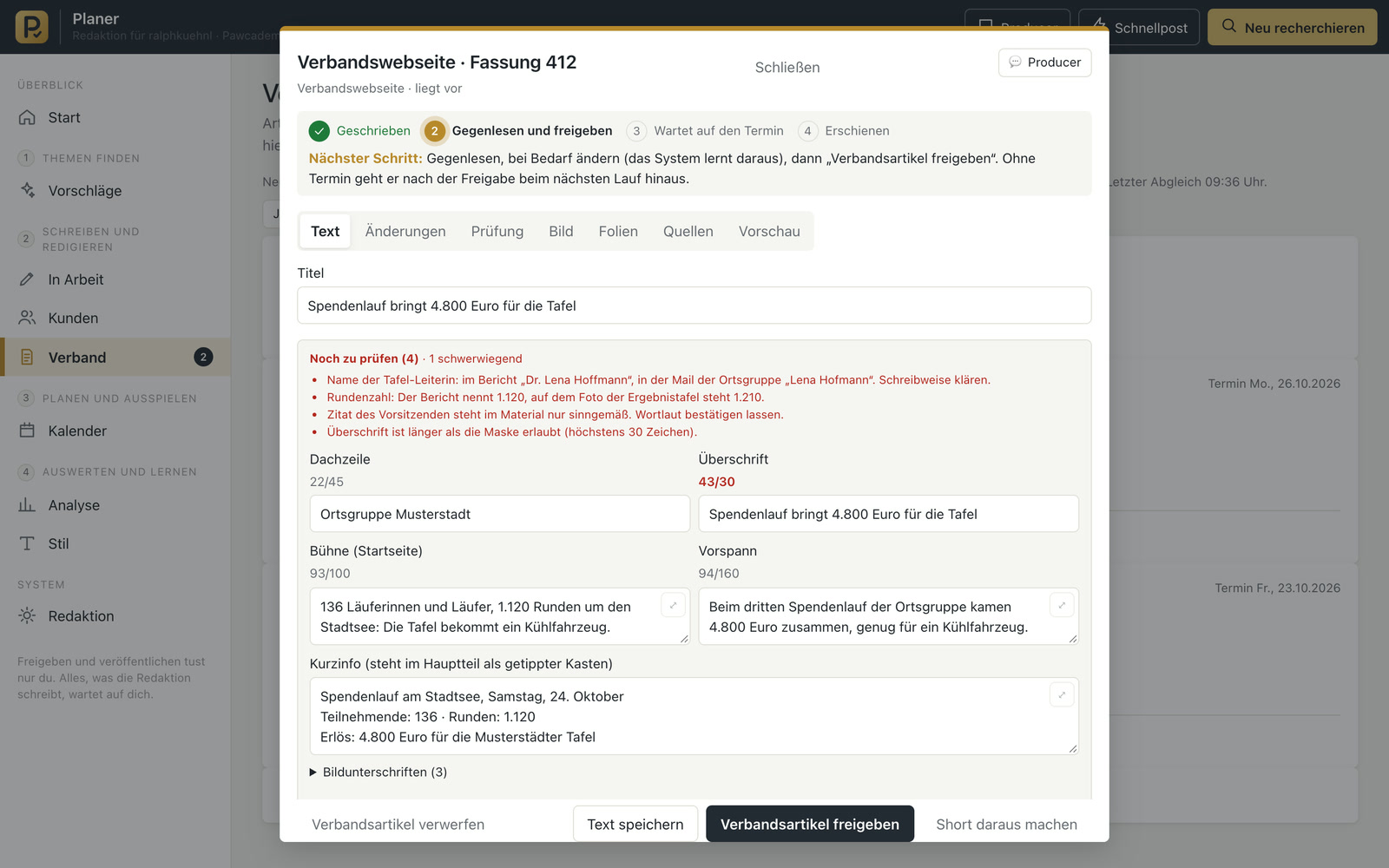
The AI fills in every field down to the captions, at the required lengths. headline 30 characters
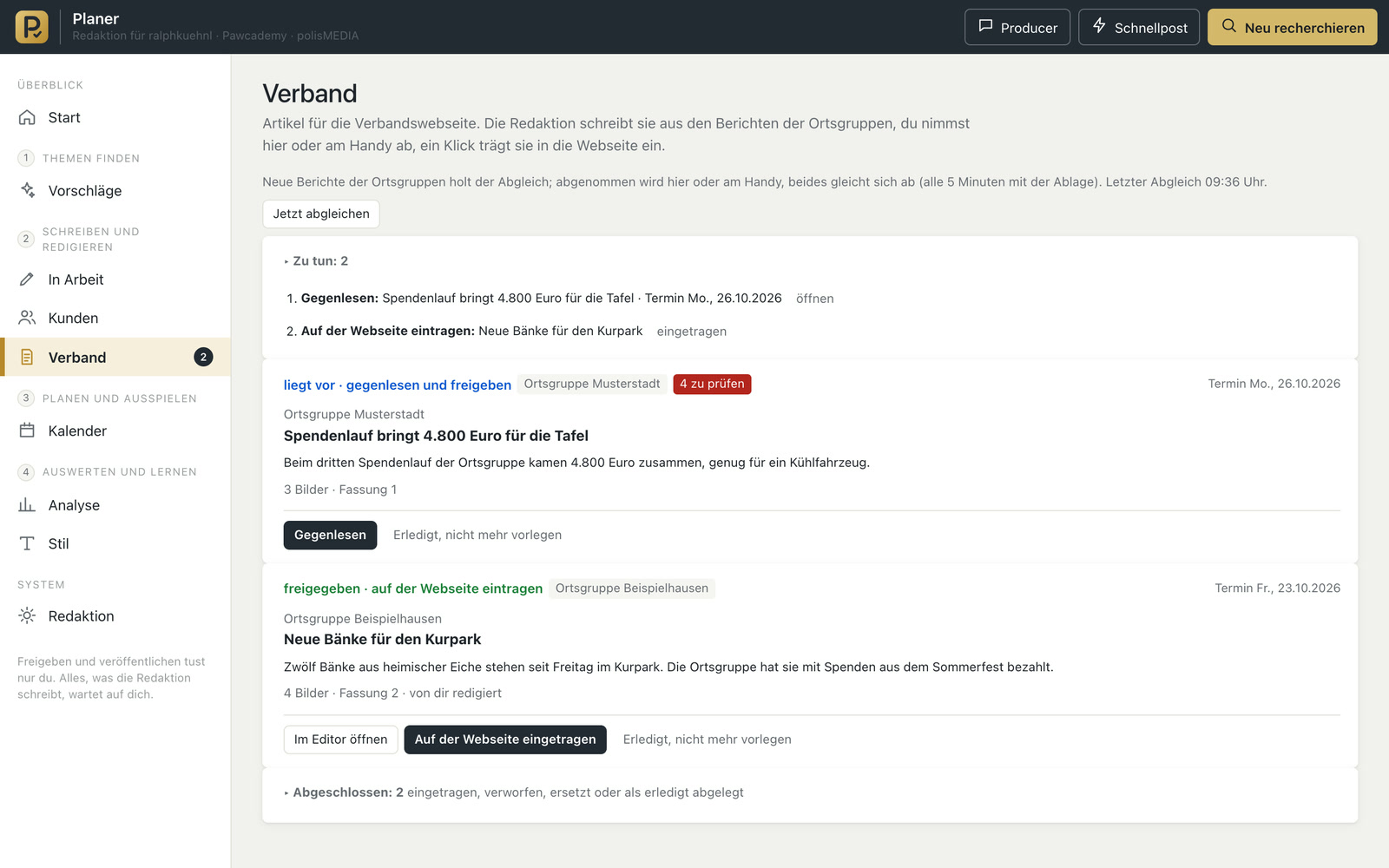
Approval on the phone, then one click fills in the website’s input form. entered
- Groups emails on the same topic
- Checks the details with a web search
- Drafts all texts down to the captions, at the required lengths
Fills in the input form of the existing content management system, instead of a volunteer copying everything by hand.
Comms & media
In use
Screens from the real software
The screens show the German interface. Names and content in them are examples. Click an image to enlarge it.
A report in three and a half minutes
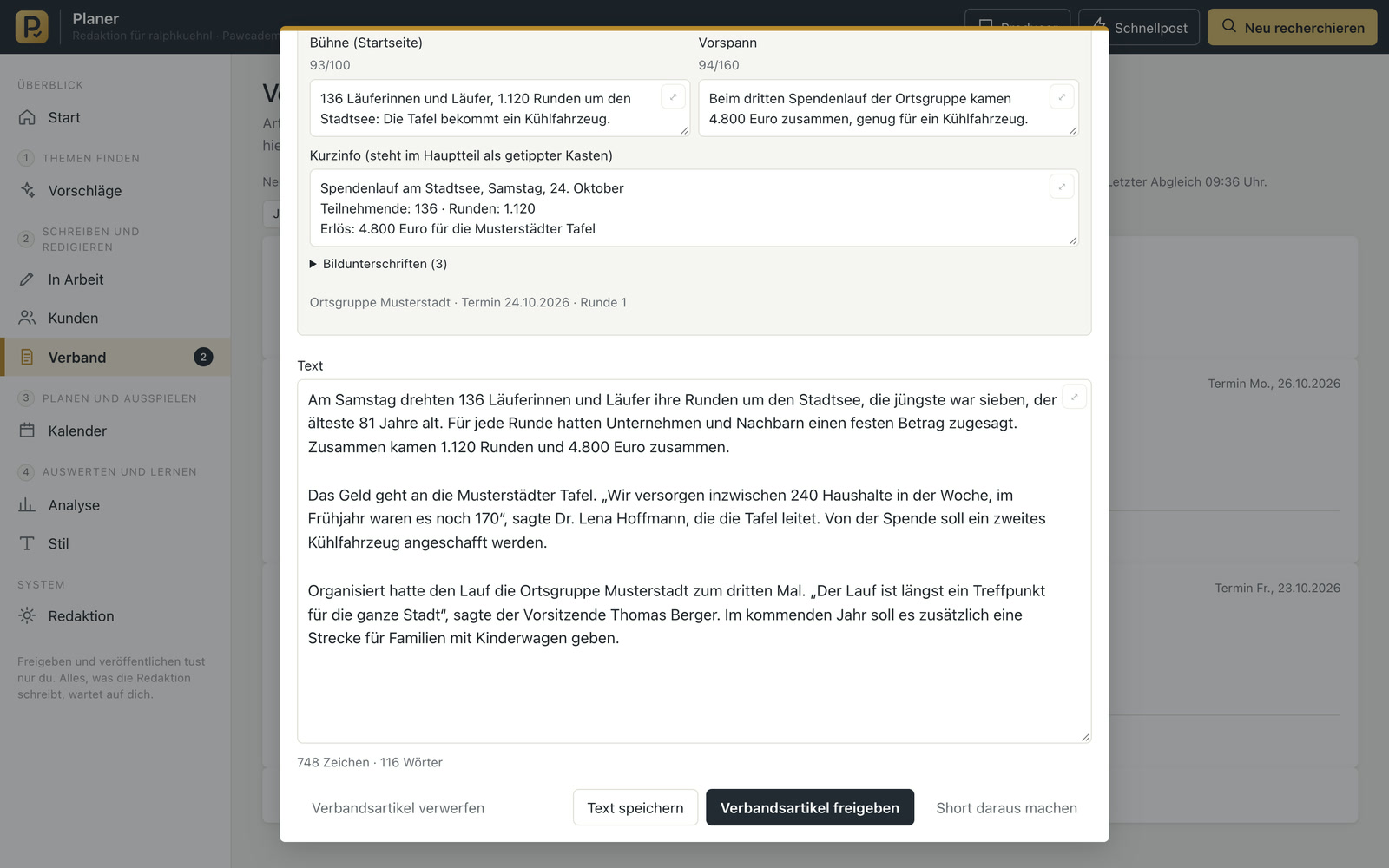
From practice: a member group sent a report on a fundraising campaign, along with seven photos. Three and a half minutes later, the draft was ready: headline, intro, text, info box, a caption for every photo, a title for search engines and a text for social media. Under “Still to check” were eleven questions, including one about a person whose name was spelled differently in the material. After clarification and approval on the phone, one click filled in the input form of the association’s website, images included. A person saved it. Then the system checked whether the article was online.
From the email to the entered article
Recognizing topics
The AI groups emails on the same topic, even when they come from several email threads and from different senders.
Fact-checking
The AI checks every detail from the material with a web search and classifies it: confirmed, added, differs or not found. It puts contradictions to you for a decision.
Finished draft
In the draft, all fields of the association’s website are filled in at the required length, plus captions, titles for search engines and the text for social media.
Approval on the phone
Approve, discard or revise, typed or spoken.
Safe with outside emails
The AI treats whatever is in incoming emails as material for the article. If an email contains an instruction to the AI, it doesn’t carry it out.
Entered with one click
One click fills in the input form and puts the images into the upload field. A person presses Save.
For organizations in which several groups deliver reports
Associations and chambers with regional groups that send in reports. Clubs with several divisions. Parishes and aid organizations with parish newsletters and websites. Companies with several locations whose news should go on the intranet. In all of them, several groups contribute, and in the end an article in a consistent tone should be in the content management system.
Approval and tone rules as in the AI newsroom
The articles are approved in the same tool as the posts of the AI newsroom, and as with the inbox assistant, fixed rules apply to the tone of the texts. It would be conceivable to publish each finished article automatically as a post on the association’s social media channels and to involve several people in the approval.
A tool like this, built for your workflow.
Talk about your association’s communications