
Home · Workbench · AI newsroom for every channel
AI newsroom for every channel
The AI newsroom suggests topics, writes a separate text for each platform and publishes at the scheduled time once you have approved. You run it from your computer or your phone.
If you publish for several brands or channels, you know the routine: the topic is set, the text is written, and then the rewriting starts.
The blog needs subheadings, LinkedIn an opening that fits into the first three lines before “see more,” Instagram an image or a carousel, Mastodon and Bluesky a text of a few hundred characters at most. On top of that, each platform needs its own publishing time. The AI newsroom takes over this work. For me, it serves three brands on seven platforms.
Before a text reaches you for approval, the newsroom checks it against your house style rules. After approval, the post goes live at the scheduled time, and then the analytics collect reach and comments. You decide at every step: the newsroom drafts, and only what you have approved is published.
- Topic
- Schedule
- Write
- Check
- Approve
- Publish
The news radar reads specialist sources, gives each item points for how well it fits your brand and files the matching ones as topic suggestions. 82 of 100 points
You accept the suggestion and choose channels and dates. Each platform gets its own format. LinkedIn · Instagram · Blog
The newsroom writes a separate text for each channel in your house style. It uses your earlier corrections as a model. 3 texts, 3 lengths
The newsroom checks every expert statement against your knowledge base and marks what can’t be backed up. 12 of 14 statements backed up
You change what you don’t like and approve, on your computer or your phone. The system saves every change for the next texts. approved 8:14 a.m.
At the scheduled time, each post goes live on its channel. Then the analytics collect reach and comments. published 9 a.m.
- Topic suggestions from current news
- A separate text for each platform
- Uses your corrections as a model
Each platform gets its own text following your house style rules, and nothing is published without approval.
Comms & media
In use
Screens from the real software
The screens show the German interface. Names and content in them are examples. Click an image to enlarge it.
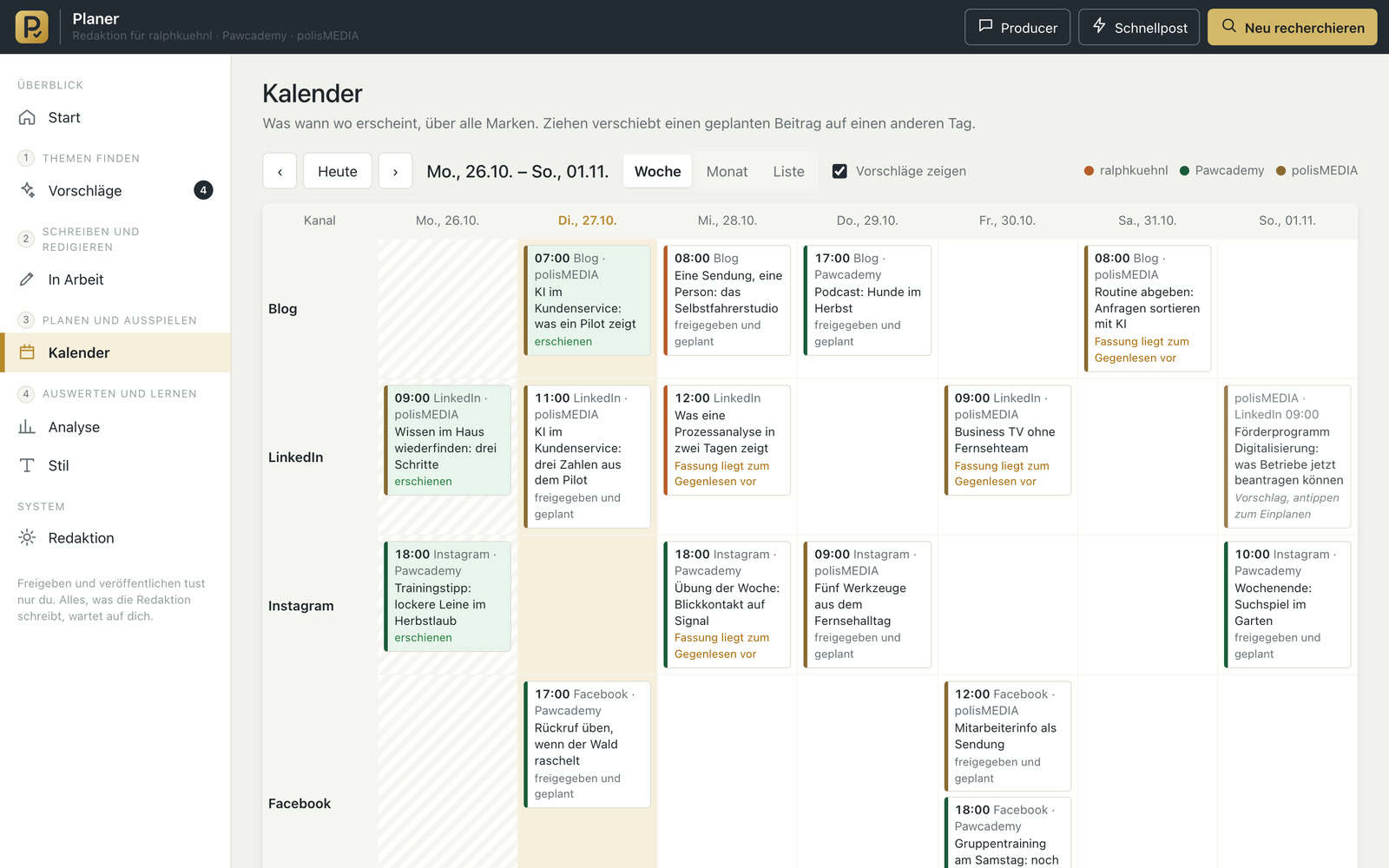
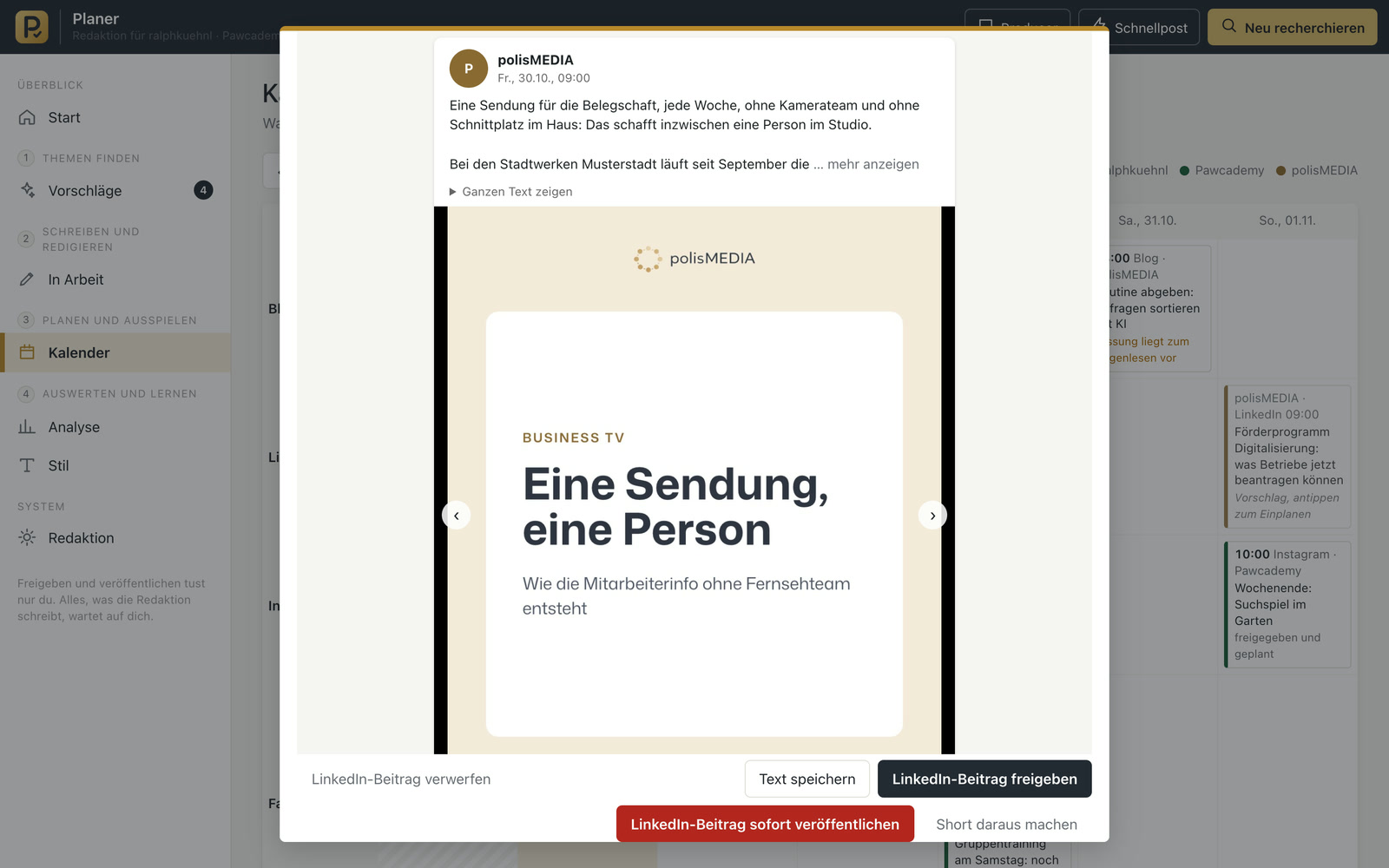
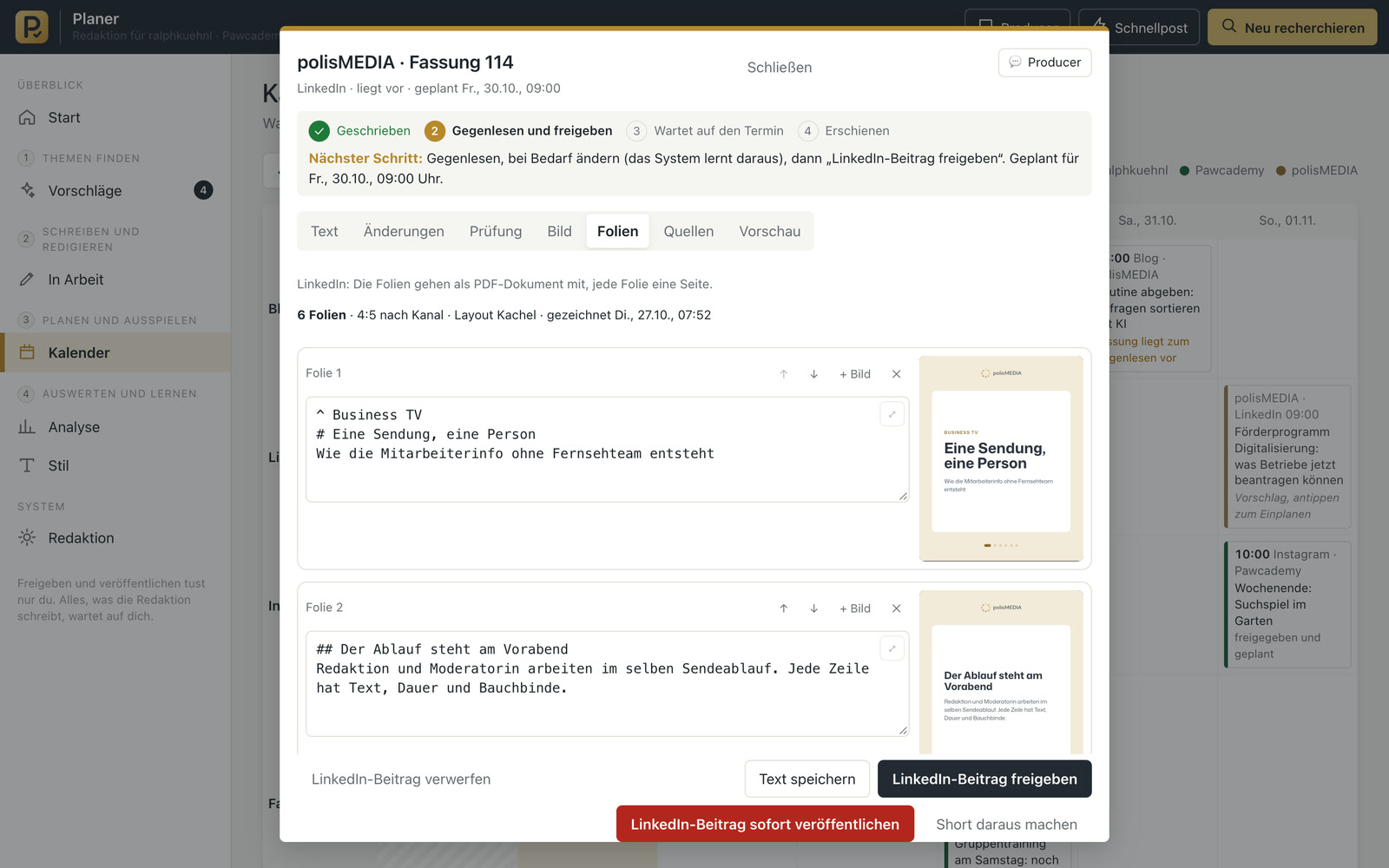
One press release, four texts, one approval
An example from an association: on Monday morning, a press release about a new funding guideline arrives in the inbox. The PR officer forwards it to the newsroom, selects the website, LinkedIn, Instagram and Facebook as targets and sets a date for Tuesday. Ten minutes later, four texts are ready, each in the tone of its channel, the blog post with subheadings, the Instagram carousel with eight slides in the association’s design. She changes two sentences, approves and moves on to the next task. On Tuesday at 9 a.m., everything goes live. On Friday, the analytics show which channel brought the most responses.
From topic idea to analytics in one program
Topics with reasons
On a schedule you set yourself, the newsroom researches topics in your subject areas, each with an occasion, a key message and a source. A news radar also reads specialist sources regularly and gives each item 0 to 100 points for how well it fits your brand.
A separate text for each channel
The newsroom doesn’t copy texts. Each platform gets its own length, its own opening and its own language register, meaning tone, form of address and choice of words. Several brands can sound different.
Style rules from your corrections
The newsroom saves every correction you make to a draft and suggests new style rules from them. A rule only applies once you agree. It writes new drafts using your latest revisions as a model.
Checks before publishing
A style check marks stock phrases and wording you don’t want to read. After approval, an AI checks the text once more for typos and punctuation. For expert topics, the newsroom checks every statement against your knowledge base and against reputable sources, and asks you if something isn’t backed up.
Graphics without a graphics program
Carousels, meaning posts with several slides to swipe through, and image cards made of a photo and a short text are created in the brand’s design. They go to Instagram as a carousel, to Facebook as a post with several images and to LinkedIn as a document you can page through.
Run from your phone
You record a thought as a voice message, and the newsroom writes a post from it. You can approve in the browser or in the messenger.
Analytics and comments
Reach and interactions per channel, the strongest posts for reuse and a classification of comments: if the tone gets sharp, you get an alert on your phone right away. The newsroom drafts replies in your house style, and they are only sent when you tap Send.
Built for anyone who serves several channels with a small team
For agencies that post for several clients and have to give each one its own voice. For associations and chambers that run their public relations with one or two people. For companies whose experts have a lot to say but no time to write. And for freelancers who want to be visible alongside their core business.
I already use two variants: a client mode, in which the texts land as documents in the client’s folder and the client publishes them, and a newsroom that writes only from its own expertise and records the source of every statement internally. A newsletter could be added as another channel.
Material comes from the Newsboard, Wilma and the editing suite
The newsroom receives material from the Newsboard, from Wilma and from the AI editing suite. It delivers scripts to the self-op studio and writes for the dog school platform from its knowledge base. This could be built next: live blogs from Tickerwerk appear in the editorial calendar, and their most important entries go out automatically as short notes to the social media channels.
A tool like this, built for your workflow.
Talk about your newsroom