
A party convention, a city council meeting, an election night, a trade show: if you want to report live, you usually write on someone else’s platform or in a series of social media posts that nobody reads in the right order.
Tickerwerk brings the live blog to your own website. A live blog is a page on which new updates appear entry by entry during an event, the newest at the top. Your team writes from their phones, readers see every new entry right away, and all entries are on your own website, in your design.
Tickerwerk is an extension for WordPress, the widely used website software, and is installed on all three of my websites. Contributors don’t need access to the website’s admin area; they join via an invitation link.
- Report
- Check
- Highlight
- Publish
Reporters write from their phones, via app or messenger, even with a weak connection. “Main motion passed”
If you like, the editor on duty approves entries before they appear. Breaking news sits as a red banner at the very top. Breaking
The most important entries go into the “Key points” box. Key points: 3 items
Readers see every new entry right away, without reloading. live since 6:02 p.m.
- Transcription of voice recordings
The reports appear on your own website and in your own design, where search engines find them.
Comms & media
In use
Screens from the real software
The screens show the German interface. Names and content in them are examples. Click an image to enlarge it.
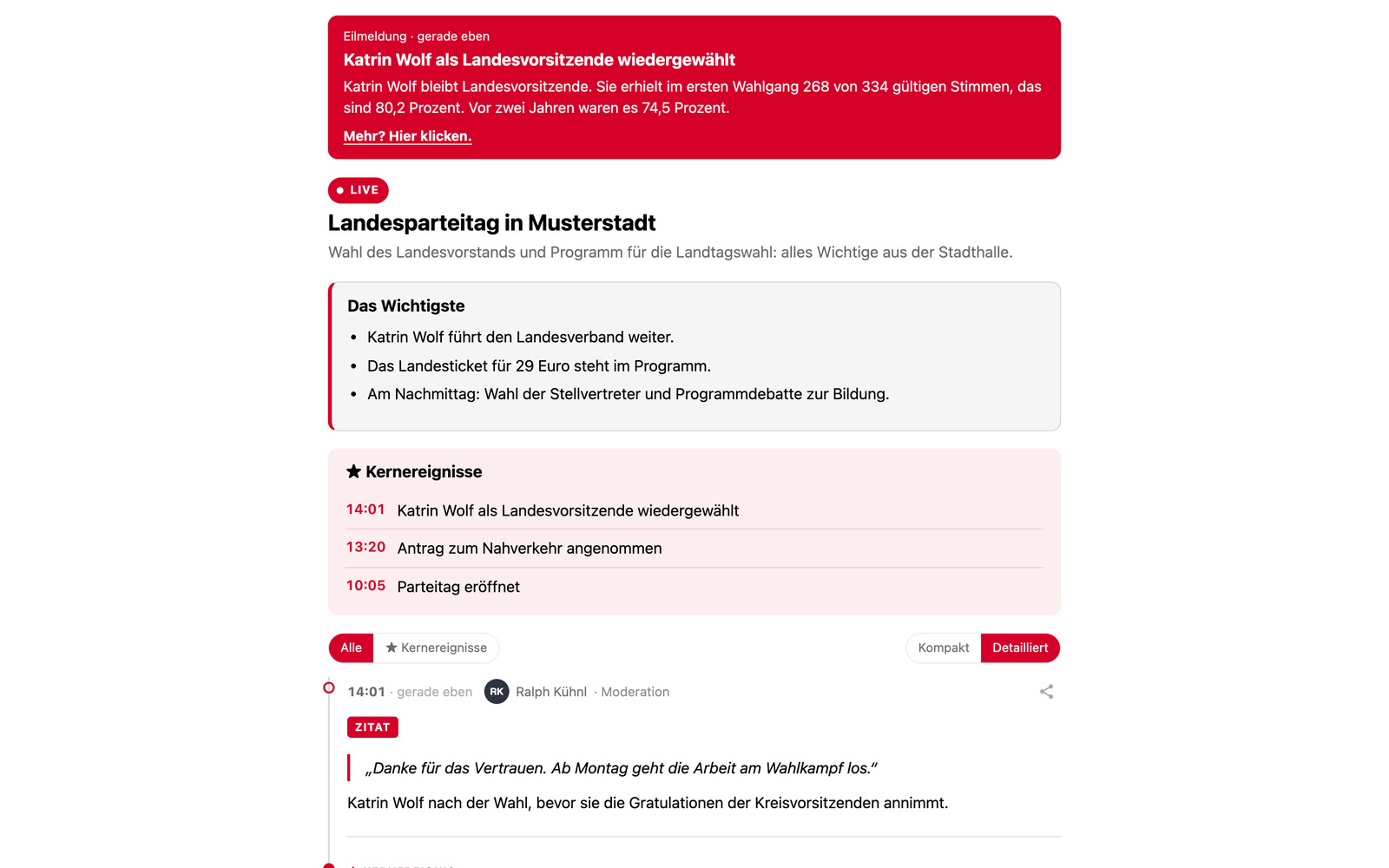
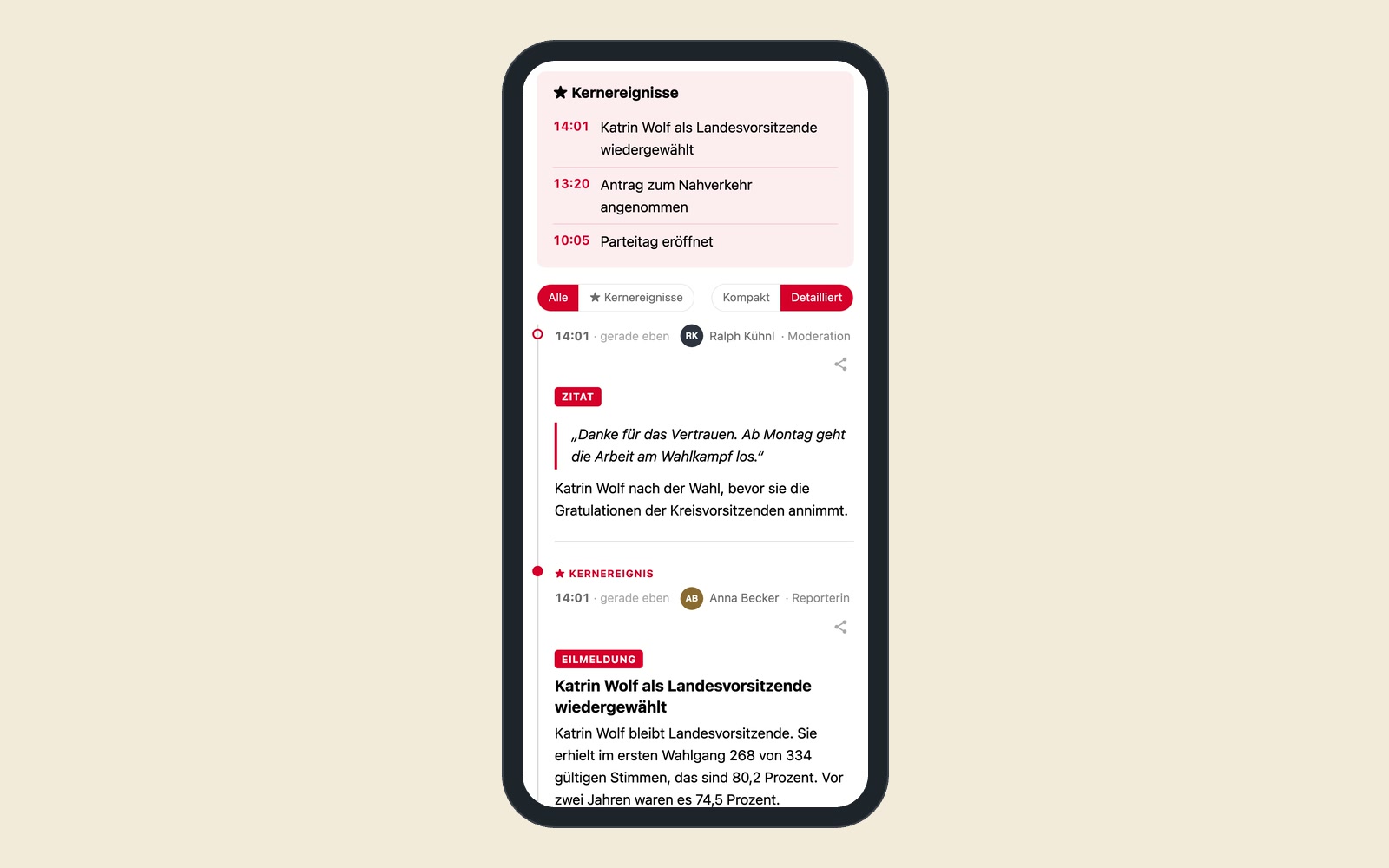
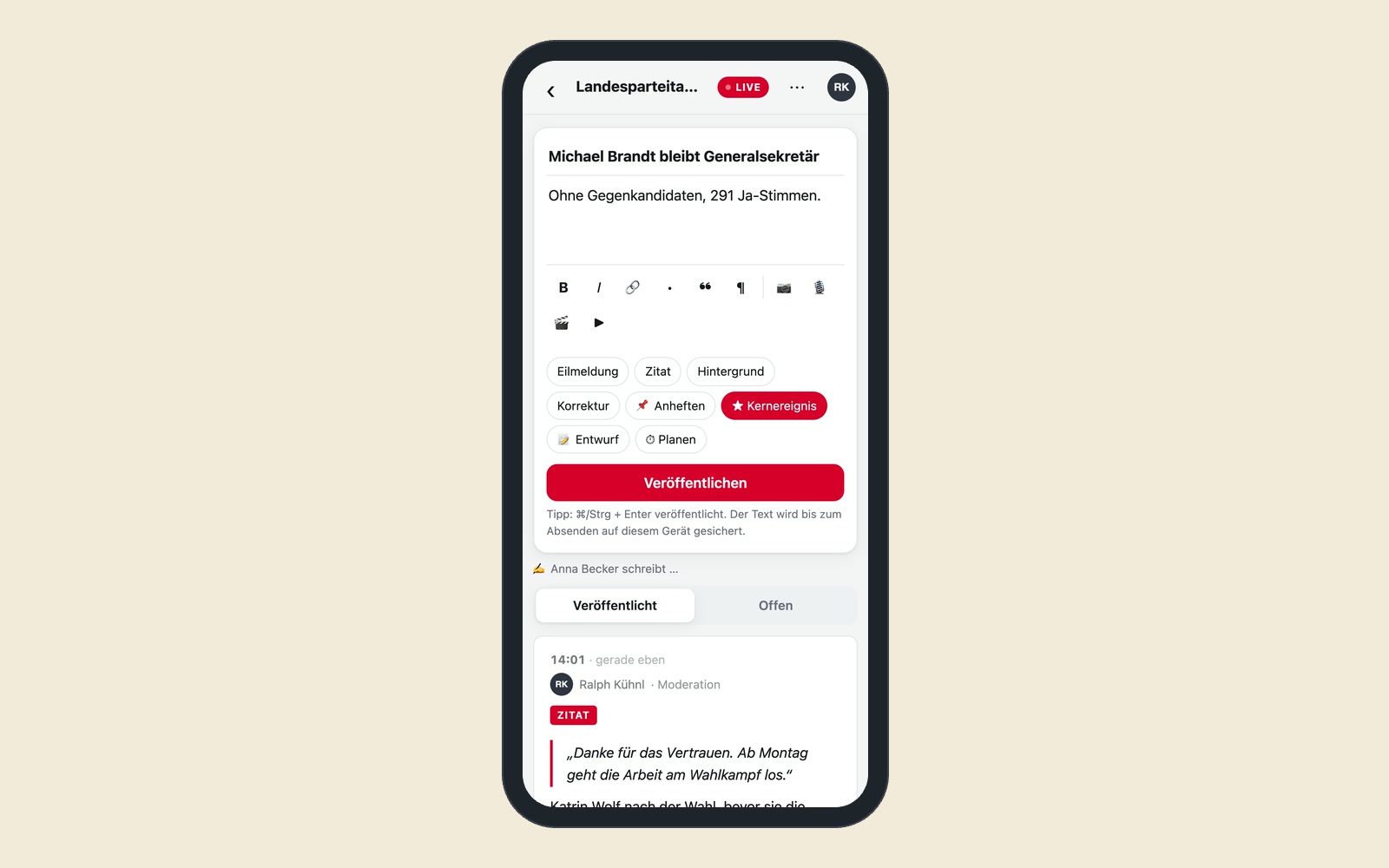
An election night with three reporters
An example for a local newsroom: on election night, three reporters are out, at city hall, at an election party and in the newsroom. In the afternoon, the editor on duty set up a live blog and sent out the invitation links. From 6 p.m., all three write from their phones: photos, short assessments, a voice message from the mayoral candidate that is transcribed automatically. One reporter sends his entries via messenger. At the top, readers see the “Key points” box and can filter by key events. At midnight, the whole evening is documented on the newsroom’s own website, findable through search engines.
Write from your phone, read without reloading
Live without reloading
When a new entry comes in, the list shows the note “1 new post.” One click brings it to the top, without the page jumping while you read. Even with many readers at the same time, simple web hosting is enough.
Structure for readers
A box with the key points, key events with a filter, pinned entries and labels like “Breaking.”
Found by search engines
The entries are in the page as text, and search engines recognize them as a live blog.
Writing from your phone
Photos, voice recordings with automatic transcription, videos and embedded posts from other services. The app shows who is writing at the moment and works with a weak connection, too.
Reporting via messenger
Text, photos, voice messages and videos from the messenger become entries. If a reporter edits a message in the messenger, the entry changes as well.
Team via invitation link
Each link with a role, an expiry date and a limited number of uses. Invited people never see the website’s admin area. If you like, their entries only appear after someone from the newsroom has approved them.
Six designs and your own colors
You adjust the live blog to the look of your website. It can also be embedded on websites that aren’t built with WordPress.
Data protection built in
Embedded content from third-party services, such as videos, only loads when the reader clicks on it.
Election nights, party conventions, trade shows and crises
For local and specialist newsrooms covering elections, meetings and major events. For parties and associations at party conventions and general meetings. For organizers reporting from trade shows, festivals or sports events. For companies covering a product launch or a shareholders’ meeting. And for crisis communication, when a situation changes by the hour and your own website should be the reliable source.
Tickerwerk runs on the same websites as the newsroom
Tickerwerk is installed on the same websites that the AI newsroom publishes to. Three connections would be obvious: live blogs appear in the editorial calendar, and their key events go out automatically as notes to the social media channels. Reporters write their entries directly in Wilma. The live stream from the self-op studio can be watched in the live blog.
A tool like this, built for your workflow.
Talk about your live coverage