
Home · Workbench · Lead research: finding new customers by industry and region
Lead research: finding new customers by industry and region
You enter an industry and a place and get a list of companies with contact details from the companies’ websites. You don’t need purchased addresses for this, and the legal note is right in the form.
If you are looking for new customers in a specific industry and region, you have two options: buy address lists whose source and age you don’t know, or research yourself, website by website, legal notice by legal notice.
Lead research, the search for potential new customers, does the second automatically. It searches for companies by search term and place, collects the results in a table and adds the contact details from the companies’ websites.
Each research run is a job of its own with its own table. You define the target group anew each time instead of working with a list that was put together for someone else.
- Search
- Collect
- Enrich
- Check
You enter industry and place. Business directories are searched, too. electricians · Heidelberg
The results go into a table of their own, each row with source and date of review. 50 businesses
The research takes the contact details from the companies’ websites, a few companies per run and each row only once. That way, you never pay for a row twice. 43 with contact
The form states which ways of contacting are permitted: calls to companies usually yes, marketing emails only with consent. note in the form
- An AI agent adds missing contact details from the business’s website
Instead of purchased lists of unknown origin, a table of its own for each job, with source and date of review.
Sales & customers
In use
Screens from the real software
The screens show the German interface. Names and content in them are examples. Click an image to enlarge it.
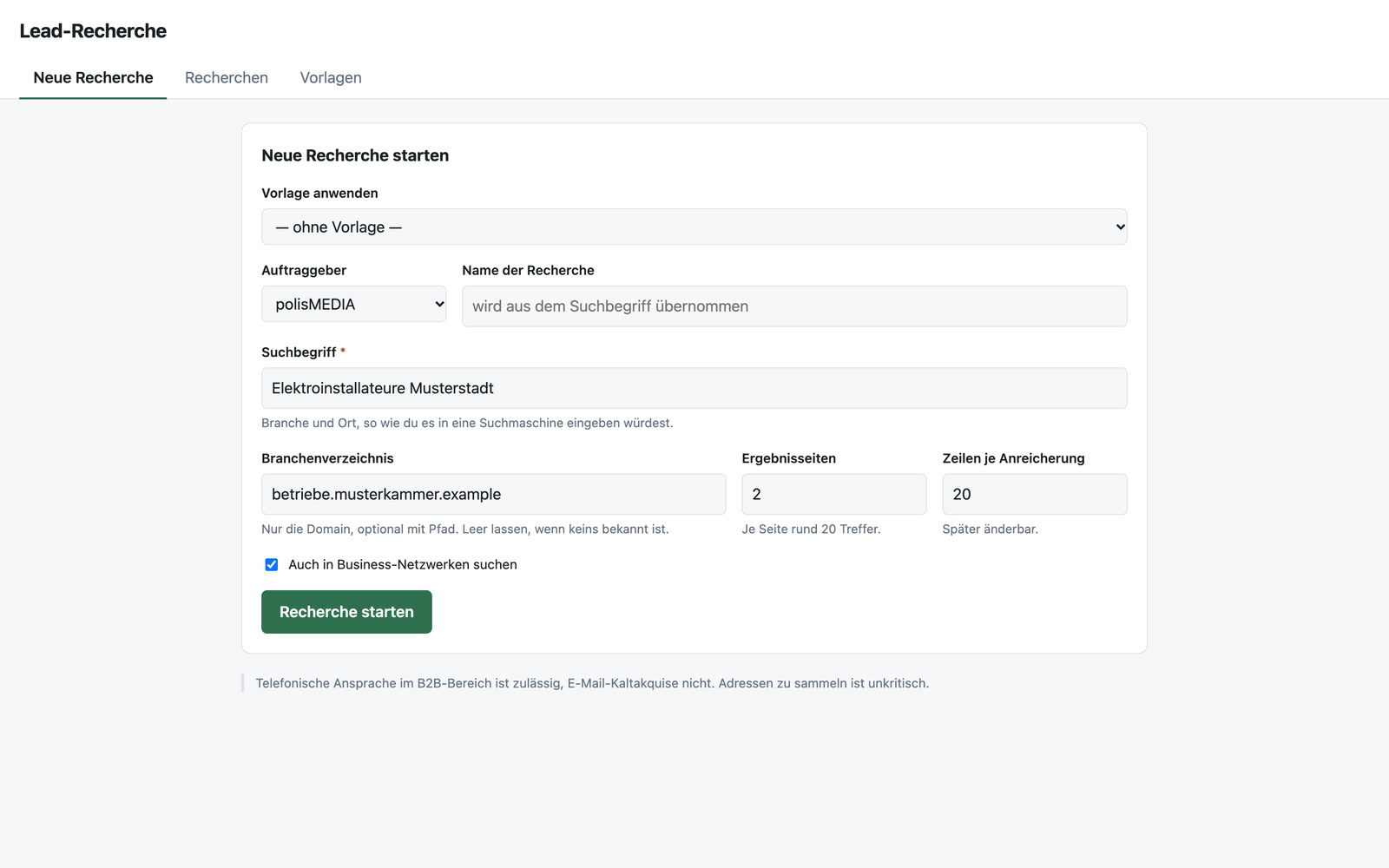
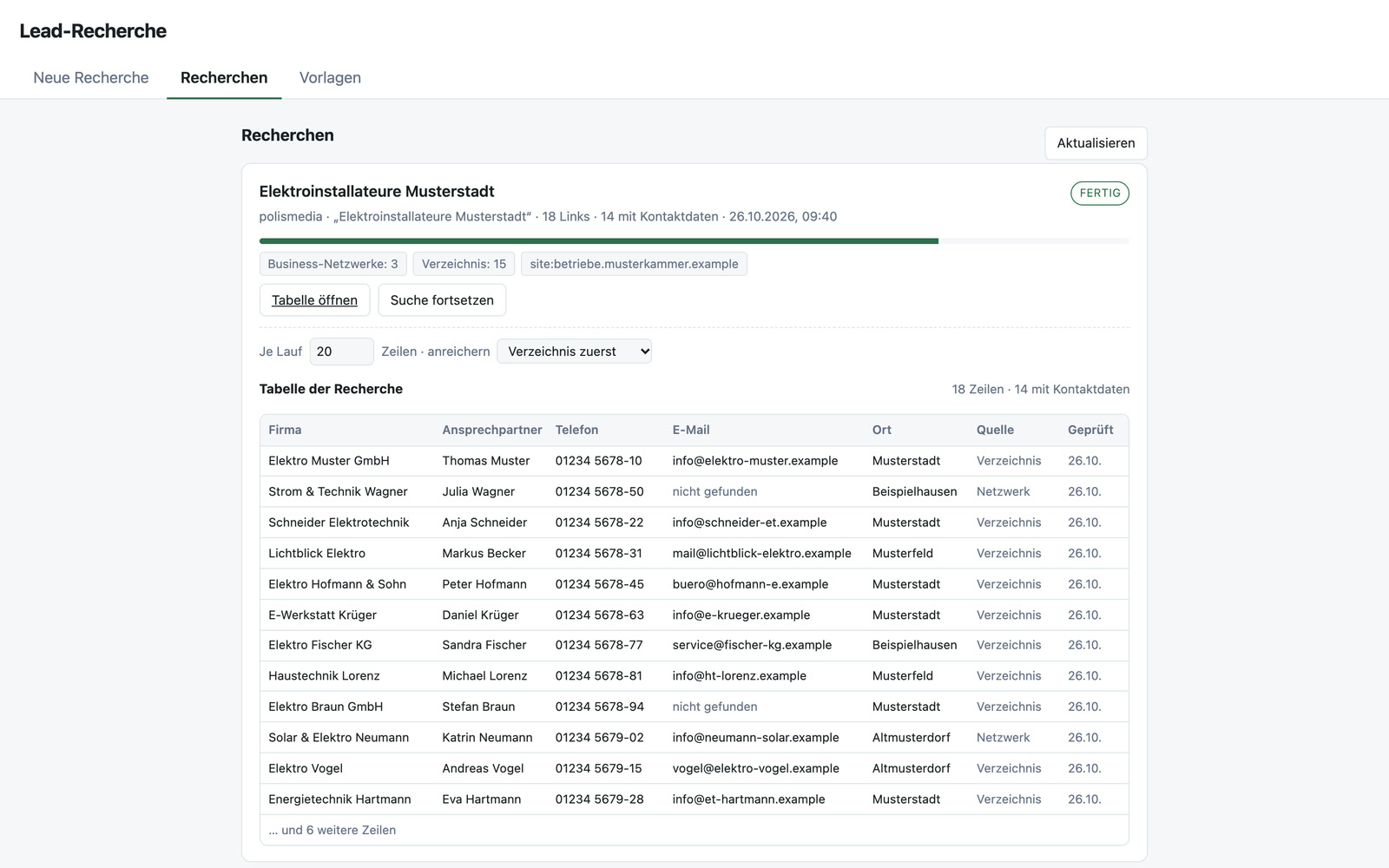
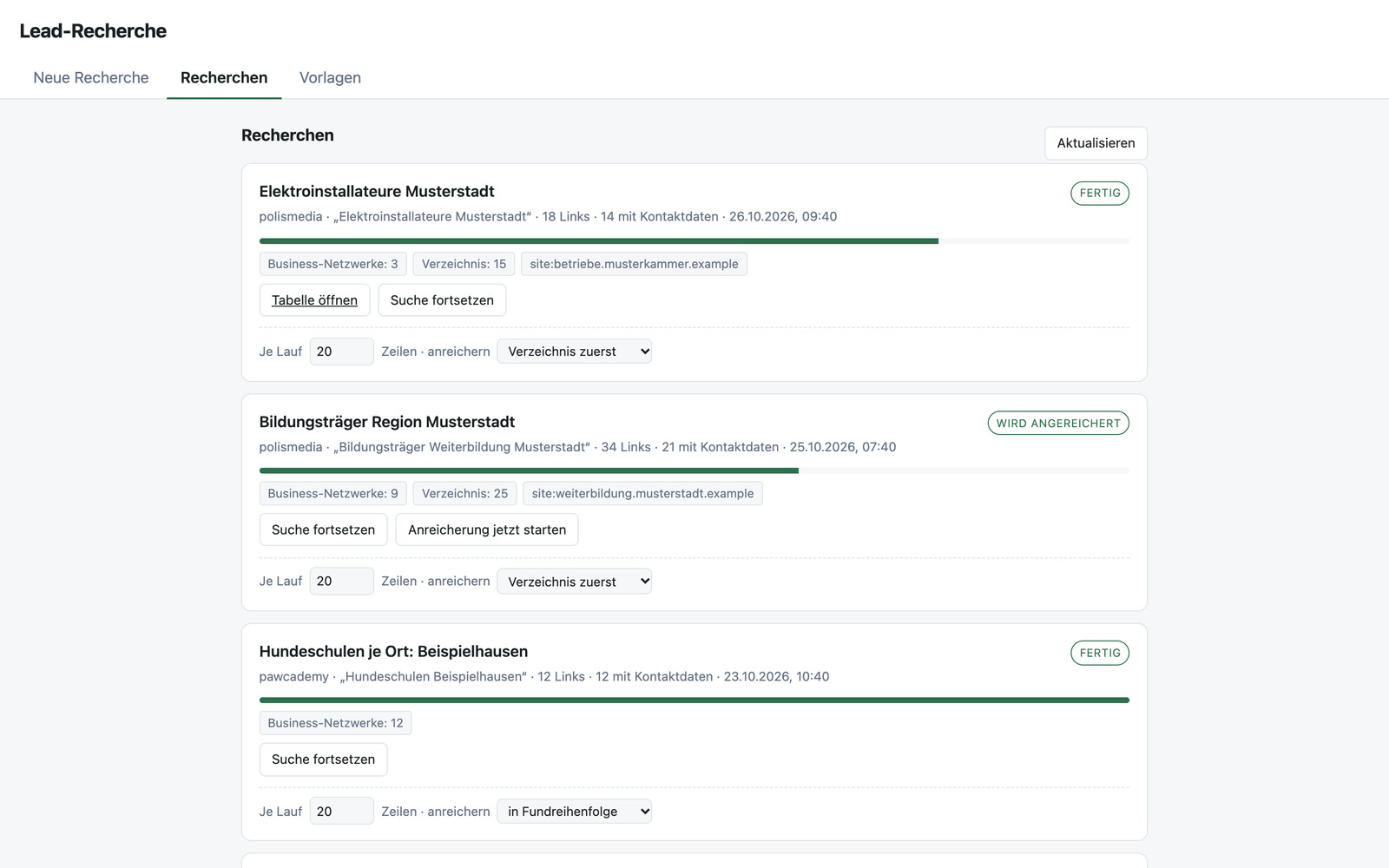
Fifty businesses, forty-three with contact details
From practice: for a campaign in the trades, I had the tool work through the business directory of a chamber of crafts. The tool paged through the results list itself and copied each business’s details. One run brought 50 businesses, 43 of them with an email address and 46 with a phone number. Because the directory already keeps these details in fixed fields, no AI was needed, and there was no cost per row. Then the table was ready, with source and date of review in every row. A person decides who gets contacted.
An example for a continuing education academy: it is looking for education providers and HR departments within a 50-kilometer radius. For this, it creates a template with a placeholder for the place and runs the same search for six cities, one after the other.
Search, enrich and continue without duplicates
Search by industry and place
You enter a search term, choose business directories or professional networks as sources and set how many results pages are searched.
Reading directories directly
Many directories list thousands of businesses, of which search engines know only a handful. For a chamber of crafts with 4,576 registered businesses, the search found two. For directories like these, the tool pages through the results list itself.
Templates with placeholders
A search like “dog schools in {place}” can be repeated for many places.
Progress at a glance
For each research run, you see its status and the results per source. If a source returns nothing, you get a warning.
Continue without duplicates
A search can be extended without companies appearing twice in the table.
Enrichment with a cap
If contact details are missing, an AI opens the company’s website and takes them from the legal notice. For 20 rows, this costs a few cents. You set how many rows it processes per run, and it checks each row only once.
Legal note in the form
The form states which ways of contacting companies are permitted, for example that marketing emails to companies also require prior consent.
For sales, associations, economic development and recruiting
Sales finds companies in industries for which there are no good lists. Associations look for potential members in their region. Economic development agencies get an overview of the businesses in an industry. Recruiters look for employers within a specific radius. The research can be tailored to any public directory you know for your target group.
The search runs on a search engine of its own
The research searches via a search engine of its own on its own server, without tracking, meaning without anyone recording and analyzing the search queries. Taking selected companies into the CRM as contacts at the push of a button would be possible, as would checking all research runs against each other so that nobody is contacted twice.
A tool like this, built for your workflow.
Talk about your target group