For a workshop, facilitators today often open four programs: a digital canvas for ideas, one for live polls, one for quiz questions and the presentation. On top of that, someone takes notes.
Each program has its own login, and afterwards the results are in four places. Werkraum, German for “workroom,” brings everything into one program, for workshops on site, online or hybrid.
Participants scan a QR code on the projector screen, enter their name and they are in. The facilitator has methods and schedule in front of her, plus an AI that sorts ideas into groups, summarizes them and co-facilitates if she wants.
- Prepare
- Collect
- Sort
- Vote
- Minutes
You enter goal, length and participants. Just over a minute later, the AI suggests an agenda, slides and a checklist. 3-hour agenda
Participants write notes, on a computer or on their phone via QR code. 20 ideas
The AI sorts the ideas into groups and gives each group a name. 4 groups
Participants give out dots, answer polls or fill a word cloud. The result is on the canvas right away. 8 have voted
At the end, the AI sums up. Results slides and minutes are ready the same evening. minutes as PDF
- Sorts ideas into groups
- Drafts the agenda and slides from goal, length and participants
- Turns flip chart photos into digital notes
Brings together in one room what otherwise takes four or five programs, each with its own login.
Collaboration
In use
Screens from the real software
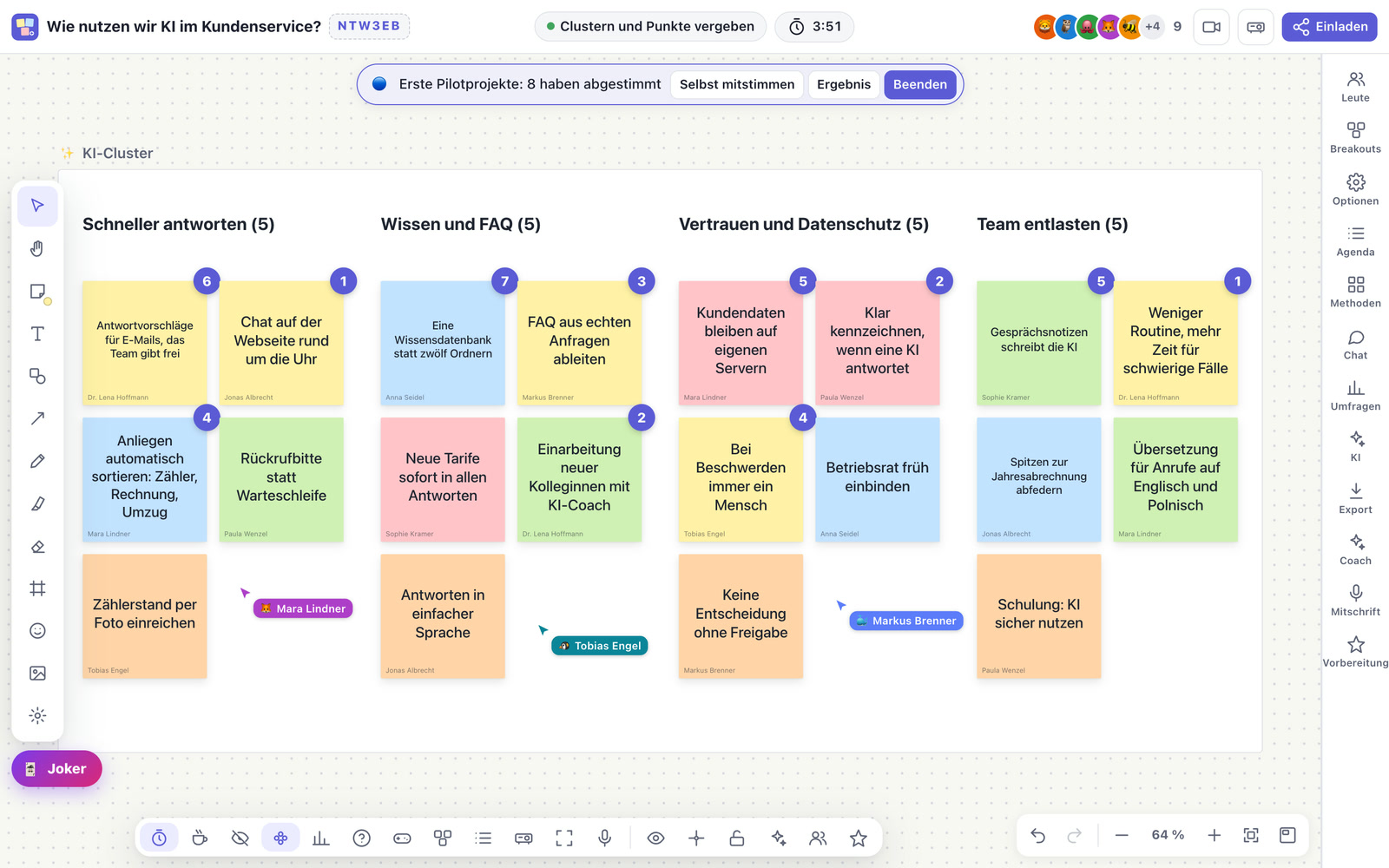
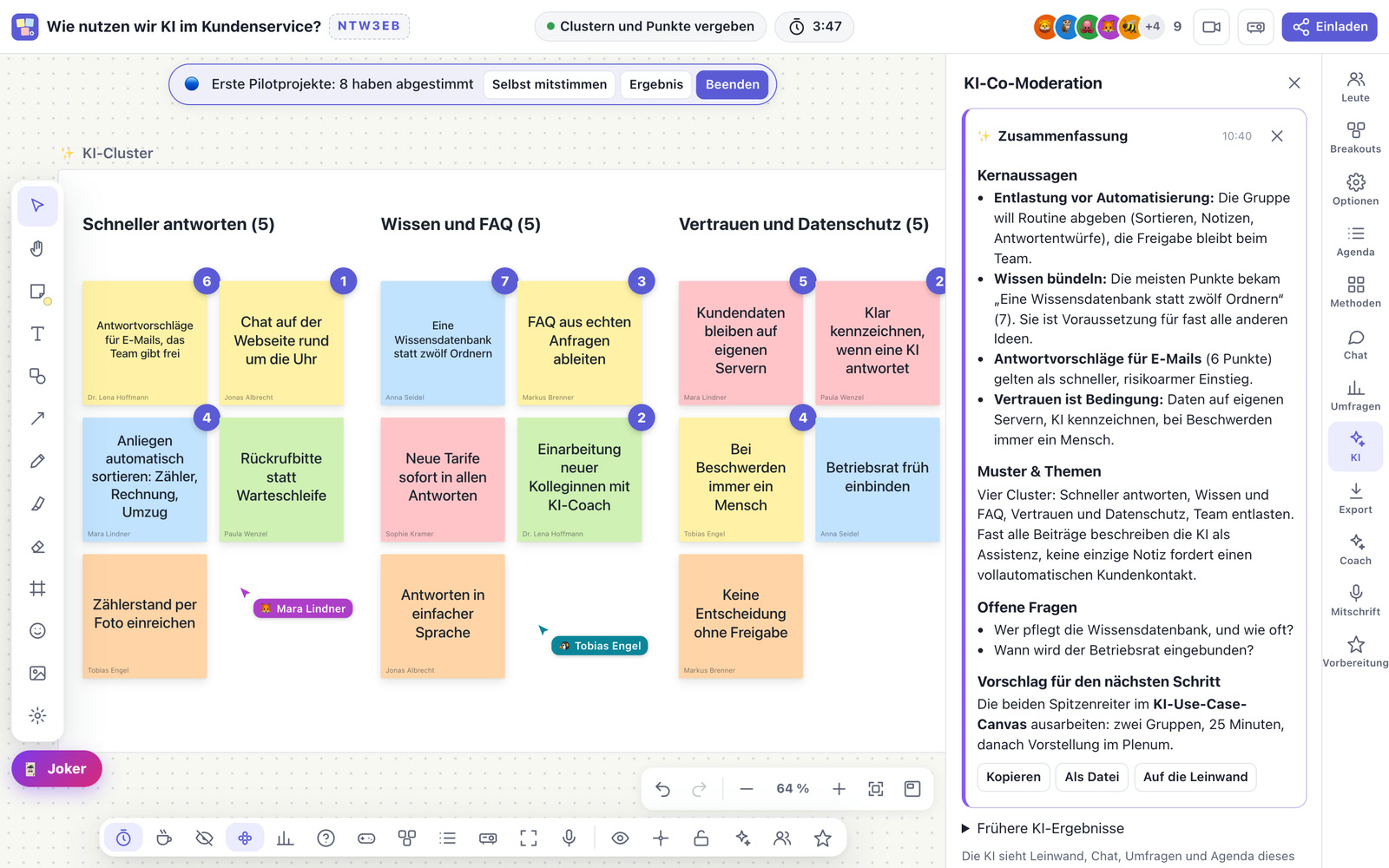
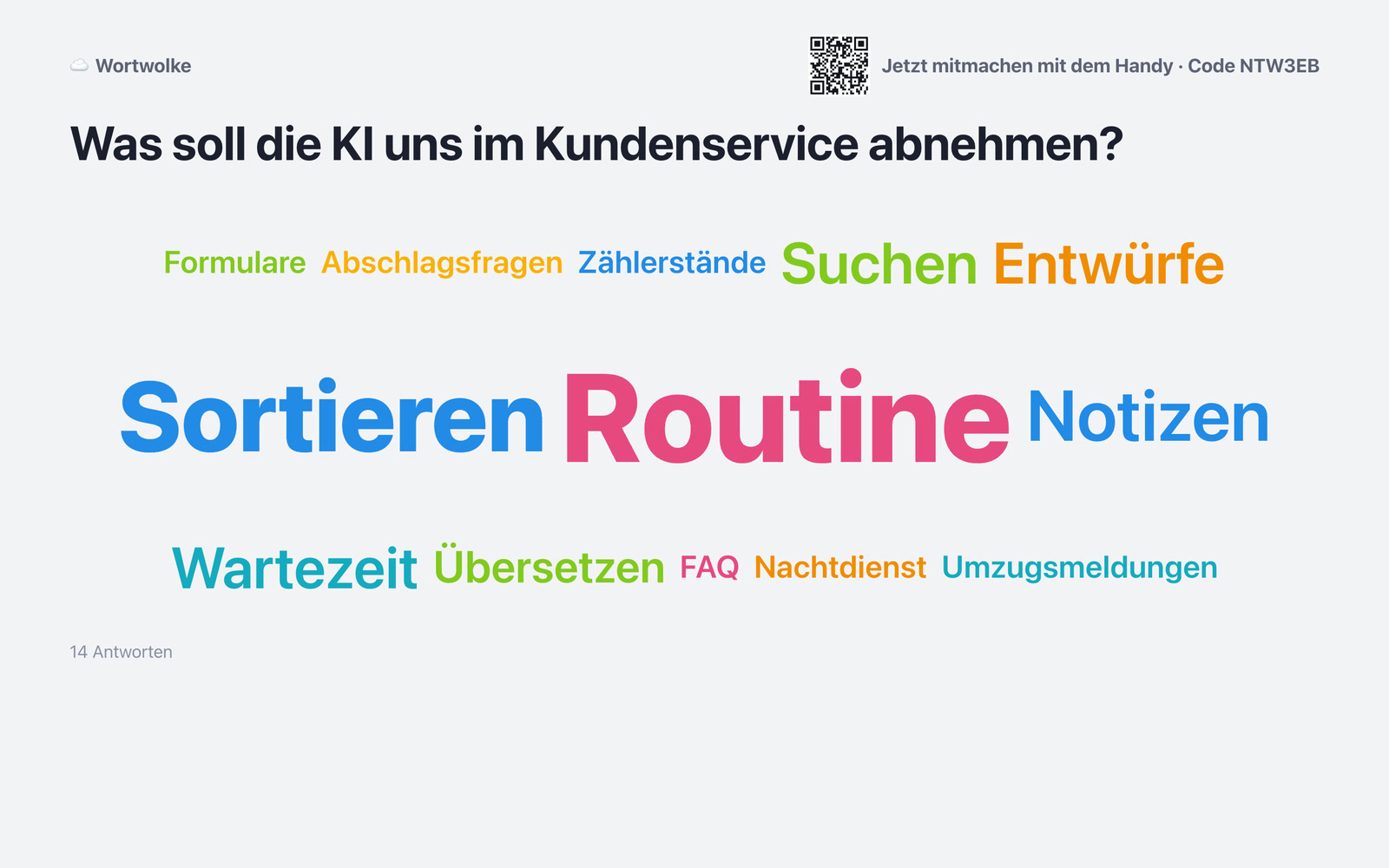
The screens show the German interface. Names and content in them are examples. Click an image to enlarge it.
A strategy day with twenty people
An example from a mid-sized company: management is planning a strategy day. The facilitator gives Werkraum the goal, length and participants and, after just over a minute, gets a proposal: agenda, slides with built-in polls and a checklist. She adjusts it and uploads her existing presentation as well. On the day of the workshop, the twenty participants vote on their phones, collect ideas in silent brainstorming and give out dots. During the coffee break, the AI turns a photo of the flip chart into digital notes. At the end, the AI sums up, and results slides and minutes are ready the same evening.
Canvas, polls, presentation and AI in one program
Infinite canvas
Notes, shapes, pen, frames and images. Everyone sees the others’ cursors live, and on a tablet you write with a stylus.
Facilitation with a method
Timer with phases, hidden silent brainstorming, anonymous contributions, dot voting and an agenda with a time budget. Plus 37 templates and seven complete formats for creativity, strategy and retrospective sessions.
Live polls from the phone
Word cloud, questions with voting, scale, ranking, mood check and quiz.
Group work
Its own area, its own chat and its own video for each group.
AI as co-facilitator
It sorts contributions into groups, summarizes, reads the mood from chat and polls, makes suggestions when a discussion is stuck and, if you like, speaks with a natural-sounding voice. It only works when the facilitator calls on it, and it never sees hidden contributions.
AI lifeline for participants
Anyone with a question asks the AI directly in the room, and it reads the answer aloud if they like.
Presentation with a control desk
Slides from the common presentation formats, with built-in polls, a remote control, also via phone, and a control desk for the facilitator.
Worksheet for on-site workshops
Guided note-taking in your own design, as a PDF at the end.
Your own name, your own design
Product name, colors and facilitation texts can be set to match your organization.
Results to take away
Export as image, PDF, spreadsheet and minutes, plus automatic snapshots every 30 minutes.
For consulting, HR, citizen participation and teaching
For consultants and trainers who sell workshops and want to show a tool of their own in their own design. For HR departments at team days, retreats and onboarding events. For municipalities in citizen participation, where people should be able to take part without an account. For universities and schools that want students to vote and collect ideas in class.
Transcription as in Treffpunkt, knowledge base as in the dog school
Werkraum’s transcription is done by the same service as in Treffpunkt. A knowledge base can be connected as a source for the AI, as in the dog school platform. Obvious next steps would be to create a Werkraum session automatically as soon as a workshop is confirmed in the booking system, and to store the results directly with the project in the CRM.
A tool like this, built for your workflow.
Talk about your workshops